

s//pad screenshots (8)
Description s//pad
Looking for a note-taking app that cuts through the clutter and just lets you write? s//pad delivers a purely functional, distraction-free environment for capturing thoughts with unmatched speed and simplicity.
Core Functionality and User Experience
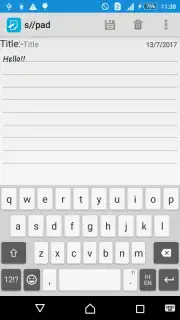
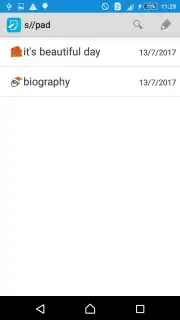
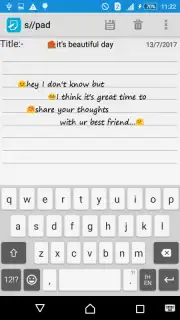
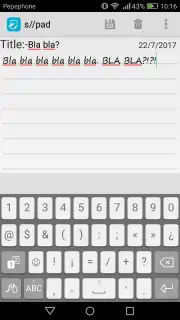
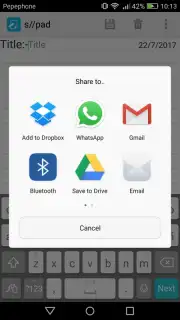
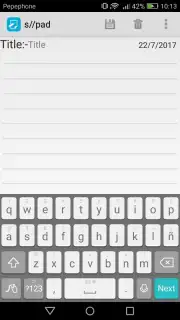
s//pad is engineered as a minimalist digital notepad, focusing exclusively on text-based note management. The interface presents a clean, unadorned space where you can instantly create a new note by entering a title and body text. The application performs one core task: it allows you to record, save, delete, and share text notes. This singular focus ensures reliability and eliminates the friction found in more complex applications. Operation is straightforward—ideas are captured in seconds without navigating through menus or configuring settings. For basic organization, you can add emojis to notes to provide visual cues or denote tone directly within the text field.
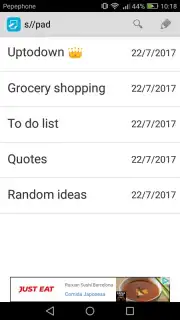
The design philosophy intentionally excludes multimedia embedding and advanced text formatting. You cannot insert images, audio files, or other attachments into your notes. Similarly, the app does not offer controls to change font style, size, or color, maintaining a uniform and consistent visual output. This approach positions s//pad as a tool for rapid text entry and archival, not for rich-content creation or detailed document styling. The absence of advertisements and promotional content supports an uninterrupted workflow, keeping the attention solely on your writing.
Key Features and Practical Benefits
- Ultra-Fast Text Entry: Launch the app and begin typing immediately in a dedicated title and body field.
- Essential Note Management: Execute core actions to save, permanently delete, or share notes via standard device sharing menus.
- Minimalist Interface Design: Navigate a clutter-free environment with no settings to adjust or complex layouts to learn.
This application is optimized for users who require a no-frills, immediate method for logging thoughts, lists, or daily reminders. It serves as a reliable digital scratchpad that prioritizes function over form, ensuring your notes are always just a few taps away without unnecessary features slowing you down.
Download the s//pad app now—this streamlined note-taking tool is available for a limited time as a free download for new users. Get exclusive access to its ad-free, minimalist environment today.
This application requires a standard internet connection for initial download and potential sharing functions. It is offered free of charge and may be updated with additional features in the future.
Information
| Version | 1.0 |
| Developer | rupeshbanshkar |
| Updated | 17.03.2026 |
| Size | 1.18 MB |
| Package | com.example.spad |
| Signature | 274055b9e9b0896b8933b882828afa89 |


