


Speedtest by Ookla screenshots (12)


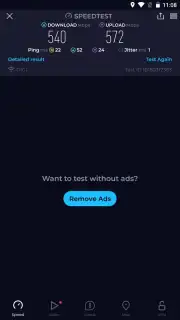

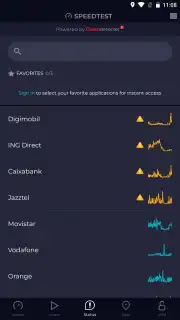

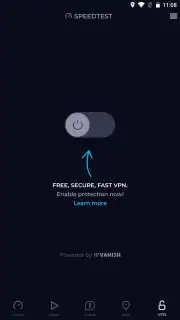

Description Speedtest by Ookla
Imagine you’re in the middle of an important video call and the feed begins to stutter, or a critical file refuses to upload. Your first instinct is to question your internet connection, but how do you move from suspicion to verified fact? This is the precise scenario where a diagnostic tool transitions from being a utility to a necessity. Speedtest by Ookla operates in that space, providing immediate, data-driven clarity on your network’s performance. It transforms abstract frustrations about lag or buffering into concrete, actionable metrics, serving as a foundational instrument for anyone reliant on a stable connection.
Core Analytical Mechanics and Interface
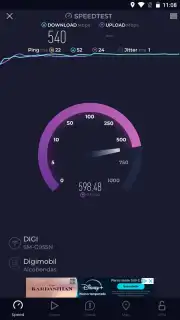
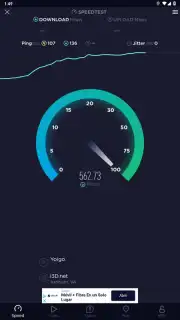
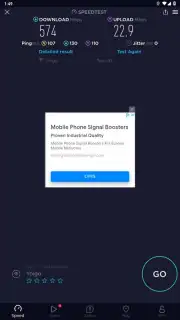
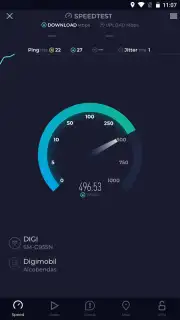
The application’s primary function is a tripartite measurement of download speed, upload speed, and ping (latency). Initiating a test is deliberately straightforward: a single tap on the prominent central button commences a connection to one of Ookla’s globally distributed servers. The test sequence is not a simple speed check; it is a structured exchange of data packets that stresses the connection to gauge its maximum throughput and responsiveness. The visual feedback during the test—a speedometer-style gauge and real-time graphs—provides a transparent view of the measurement in progress. Results are displayed with clear numerical values for each metric, offering a snapshot that is both immediate and technically precise.
Extended Diagnostic and Mapping Capabilities
Beyond the single test, the application’s utility is deepened through longitudinal tracking and geographical context. Every test result is automatically cataloged in a detailed history log. This archive allows for performance trending over hours, days, or months, turning isolated data points into a meaningful narrative about your internet service. Patterns of slowdown during peak hours or inconsistencies in upload stability become readily apparent, forming a solid evidence base for discussions with a service provider.
Furthermore, the integrated coverage maps offer a macro-level perspective. These interactive maps visualize network performance and provider coverage across different regions. For a user considering a move or a change in provider, this feature shifts decision-making from anecdotal recommendations to a data-informed comparison of available options in a specific area.
Detailed Feature Breakdown
- Comprehensive Speed Metrics: Precisely measures download and upload bandwidth alongside network latency (ping) in real-time.
- Global Server Network: Connects automatically to the nearest optimal server from a vast, maintained global infrastructure for reliable results.
- Complete Test History: Automatically logs every speed test with timestamps for tracking performance trends and identifying issues.
- Interactive Coverage Maps: Provides visual, map-based data on internet speeds and provider availability in locations worldwide.
- Ad-Free Turbo Experience: Offers an uninterrupted testing environment with prioritized server access for maximum result accuracy.
The value of Speedtest by Ookla lies in its elimination of guesswork. It provides the empirical evidence needed to validate service claims, troubleshoot home network setups, or simply satisfy curiosity about connection quality. For tasks ranging from optimizing a smart home system to ensuring a smooth remote work experience, having direct access to this level of network transparency is indispensable.
Get definitive answers about your internet performance and start optimizing your connection today.
Internet required. IAP available.
Information
| Version | 7.0.7 |
| Developer | Ookla |
| Requirements | Android Android 7.0+ |
| Updated | 16.09.2026 |
| Size | 26.13 MB |
| Package | org.zwanoo.android.speedtest |
| Signature | 5f840b6985796679c8de6a7646fedab57632ef52 |
| Architecture | arm64-v8a |


