

Star Vlog Video screenshots (8)
Description Star Vlog Video
Star Vlog Video: A Precision Tool for Effortless Video Mastery
For content creators seeking professional-grade results without the complexity of desktop software, Star Vlog Video establishes itself as a formidable mobile editing suite. It systematically deconstructs the video editing process into intuitive, powerful modules, transforming raw clips into polished narratives. The application’s core philosophy is one of accessible sophistication, providing a curated set of tools that address the most critical post-production needs directly on your device. This review examines the mechanics that allow it to deliver high-impact visual effects, precise audio control, and cinematic transitions, making advanced editing a tactile and immediate process.
Analytical Breakdown of Core Editing Modules
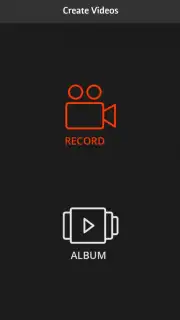
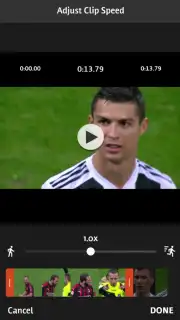
The interface operates on a principle of selective functionality, where each editing action is housed within a dedicated tool. This modular approach eliminates clutter and guides the user through a logical workflow: from primary clip manipulation to final aesthetic polish. The trim and split tool functions with frame-accurate precision, allowing for surgical removal of unwanted segments. Independent speed controls offer a granular range, from dramatic slow motion to hyper-lapse acceleration, each maintaining audio pitch integrity where applicable. The true technical merit, however, lies in the synthesis of these tools, enabling multi-stage edits within a single, streamlined project timeline.
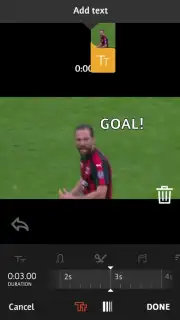
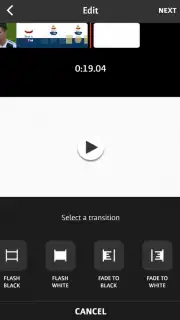
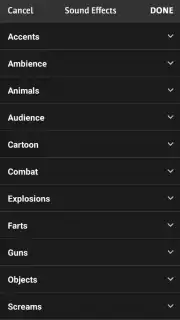
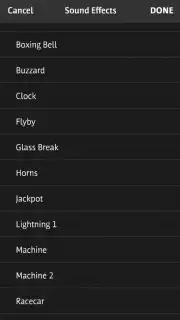
Beyond basic cutting, the app integrates a layered compositing system for text and audio. The title engine supports custom fonts, positioning, and animation, acting as a standalone graphics module. The integrated sound library is not merely an add-on but a foundational component for atmosphere, offering categorized effects and tracks that can be keyframed alongside visual changes. The transition library, featuring classic dissolves like fade to black and white, provides essential syntactic glue between scenes. Crucially, these are not automated filters but adjustable instruments, with duration and intensity controls that demand and reward deliberate creative choice.
- Execute frame-perfect cuts, splits, and trims with a responsive, timeline-based editing tool.
- Manipulate time with independent speed controls for creating slow-motion or accelerated sequences.
- Layer dynamic, customizable text titles and animations directly onto your video footage.
- Access and integrate a comprehensive library of sound effects and audio tracks for enhanced atmosphere.
- Apply cinematic transitions, including fades and dissolves, with adjustable timing for professional pacing.
This collection of features represents a calculated toolkit. It bypasses superfluous options to focus on the essential levers of visual storytelling, proving that professional editing is less about endless features and more about the precise application of fundamental principles.
Download Star Vlog Video now and transform your clips into compelling stories today!
Heads up: you'll need wifi for initial download of sound libraries and some asset packs. The premium Turbo mode, which unlocks advanced effects and removes ads, is a separate in-app purchase.
Information
| Version | vlogstar_126 |
| Developer | Star Vlog .Inc |
| Requirements | Android Android + 5.0+ |
| Updated | 17.03.2026 |
| Size | 58.23 MB |
| Package | com.vlogstar.staryoutube.video.videoeditor.star |
| Signature | fae61382f4ccfdfa51c873615ba16767 |
| Architecture | armeabi-v7a, arm64-v8a |


