


Starlink screenshots (10)

Description Starlink
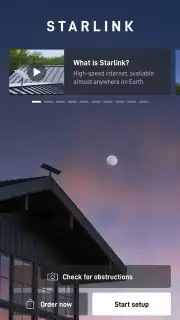
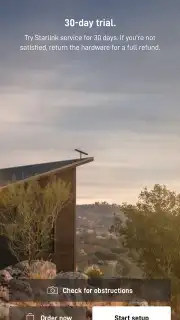
Imagine living miles from the nearest town, where traditional internet cables simply don't reach. Now, imagine having the power to install a high-speed, global satellite network yourself, guided by your smartphone. That’s the reality unlocked by the Starlink app, the official Android companion to SpaceX's revolutionary satellite internet constellation. This tool transforms your device into a command center, giving you direct control over your connection to a vast network in low Earth orbit. It demystifies satellite technology, making enterprise-grade internet access a straightforward, user-managed experience for homes, remote worksites, and travelers anywhere on the globe.
Core Functionality and Setup Experience
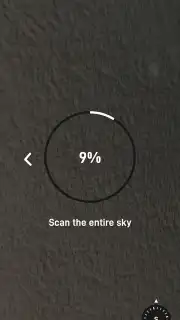
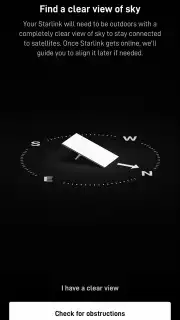
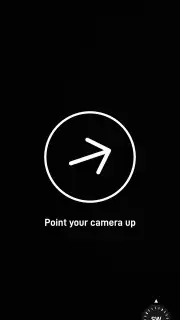
The app’s primary role is to facilitate a seamless, self-service installation and provide ongoing network management. After subscribing to a Starlink service plan, the application becomes your indispensable guide. It leverages your smartphone’s camera in a sophisticated augmented reality (AR) mode to scan your surroundings. This feature performs a comprehensive obstruction analysis, visually mapping the sky and identifying potential signal blockers like trees or building eaves before you even mount the dish. This pre-installation check is critical for ensuring optimal performance and is conducted entirely through the app’s intuitive interface.
Once the hardware is powered, the app handles device registration and walks you through precise positioning. It doesn’t stop at setup; it serves as a live network diagnostics dashboard. You gain access to real-time performance statistics, including current download/upload speeds, latency (ping), and uptime history. The integrated network scanner displays every connected device on your local Wi-Fi, allowing for easy management. Furthermore, the app proactively monitors system health, sending direct push notifications to your phone for alerts on outages, software updates, or performance optimizations, enabling you to troubleshoot issues without needing to contact support.
Comprehensive Feature Breakdown
- Guided AR Installation: Use your phone’s camera for real-time sky scanning and obstruction detection to find the perfect, unobstructed install site.
- Real-Time Performance Dashboard: Monitor live data metrics for download speed, upload speed, network latency, and satellite signal integrity.
- Connected Device Manager: View and identify all phones, laptops, TVs, and IoT gadgets actively using your Starlink Wi-Fi network.
- Proactive System Notifications: Receive instant alerts for network outages, firmware updates, service status changes, and maintenance windows.
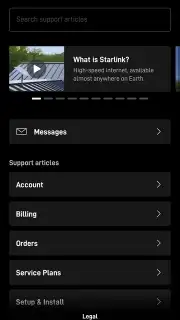
- Global Mobility Support: Manage your connection and access support whether you’re at a fixed home location or using a portable setup on the move.
We suggest trying the Starlink app to take full command of your satellite internet. It effectively bridges the gap between advanced space technology and everyday usability, putting powerful configuration and diagnostic tools directly in your pocket. Consider downloading it to experience a new standard of connectivity autonomy.
Download the Starlink mobile app now to begin your installation.
Disclaimer: An active Starlink service subscription and kit are required to use most app features. A mobile internet connection is needed for initial download, account management, and some remote features. The app may offer in-app purchases related to service plans and accessories.
Information
| Version | 2026.05.0 |
| Developer | Space Exploration Technologies Corp. |
| Requirements | Android Android + 7.0+ |
| Updated | 17.03.2026 |
| Size | 215.42 MB |
| Package | com.starlink.mobile |
| Signature | eb2004799f4685bb04e49de3d8ed3f39 |
| Architecture | armeabi-v7a, arm64-v8a |


