

SV File Manager screenshots (7)
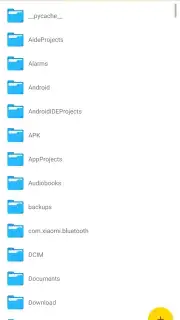
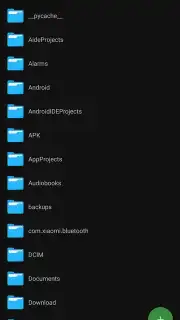
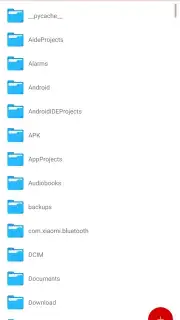
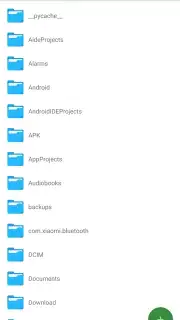
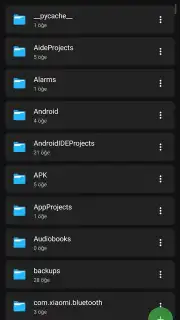
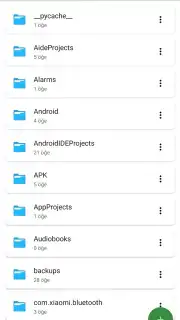
Description SV File Manager
Ever feel like your phone's files are a digital junk drawer? Photos buried in random folders, downloads you can't find, and important documents hiding in plain sight? What if you had a master key to organize, secure, and access everything on your device with effortless control? That's the reality SV File Manager unlocks, transforming chaotic storage into a perfectly curated digital library right in your pocket.
This isn't just a basic file browser; it's your command center for everything stored on your device. Imagine having the power to not only find any file instantly but to interact with it in meaningful ways. You'll feel a wave of relief as you seamlessly navigate between viewing a high-resolution photo gallery, reading a PDF report, and watching a downloaded movie, all without ever switching apps. The experience is designed to make you feel capable and in command, whether you're performing simple tasks or advanced file operations. That frustration of not being able to open an archive or install an app file simply melts away.
For the security-conscious, there's a profound sense of safety. You can encrypt your most private photos and documents, knowing they're shielded from prying eyes with a layer of robust protection. Meanwhile, the sleek dark mode isn't just a visual preference; it creates a comfortable, focused environment for late-night browsing that's easy on your eyes and your battery. The interface welcomes you with intuitive simplicity, ensuring you never feel lost, while the powerful tools beneath the surface stand ready for when you need to do more.
What You Can Do With SV File Manager
Prepare to handle your files like a true pro. Here’s a detailed look at the powerful toolkit at your fingertips:
- Ad-Free, Turbo Experience: Enjoy a completely clean, uninterrupted workflow. No pesky banners or pop-ups to slow you down, just pure, fast file management.
- Gallery-Style Photo Viewing: Browse every image in your collection in stunning high resolution. It feels like having a dedicated, powerful photo viewer built just for your stored memories.
- Instant Wallpaper Setting: Fall in love with a photo all over again? Set it as your device's wallpaper directly with a single tap—no more saving and navigating through system settings.
- Integrated PDF Reader: Open and read PDF documents, manuals, or e-books right inside the app. Say goodbye to the hassle of searching for another app just to view a file.
- PDF to JPEG Conversion: Need to share a page from a document or save it as an image? Easily convert any PDF page into a universal JPEG format for maximum compatibility.
- In-App Video Player: Play back your saved videos in various formats instantly. It's your personal media hub for everything you've downloaded or transferred.
- Complete Archive Handling: Create compressed ZIP files to save space or neatly bundle items for sharing. Just as easily, unpack RAR, ZIP, and other archive formats to access their contents.
- Direct APK Installation & Management: Quickly and safely install application files (APKs) and manage your installations from one secure location.
- Detailed File Insights: Get the full story on any file. View critical information like exact size, creation date, and last modification date with a simple tap.
- File Encryption for Security: Protect sensitive files with encryption. Lock away personal documents, photos, and data, ensuring they remain for your eyes only.
- Battery-Friendly Dark Mode: Switch to a sleek dark theme that reduces eye strain in low light and helps conserve your device's battery life throughout the day.
We suggest trying SV File Manager to finally declutter your digital life and gain powerful control over your device's storage. Consider downloading it today—it's the comprehensive tool that grows with your needs, from simple organization to advanced file security.
Download the SV File Manager mobile app now.
Heads up: you'll need wifi for downloading files and accessing some cloud-based features. The core file management works offline. Some advanced features may be part of future premium expansions.
Information
| Version | 2.4 |
| Developer | savci19 |
| Requirements | Android Android + 5.0+ |
| Updated | 17.03.2026 |
| Size | 9.95 MB |
| Package | com.svc.filemanager |
| Signature | 0cf3e98df6c97591ad6f2661c6c28313 |
| Architecture | universal |


