

SyncDroid screenshots (4)
Description SyncDroid
Never Lose a Precious Memory or Important Contact Again
Imagine the sinking feeling when your phone slips from your hand, or a software glitch wipes your messages clean. All those photos, conversations, and contacts—gone in an instant. It’s a modern nightmare you don’t have to experience. SyncDroid transforms that anxiety into absolute peace of mind, acting as your personal digital guardian. This powerful, free tool doesn't just back up your Android device; it gives you complete, intuitive control over your entire digital life, ensuring your most valuable data is always safe and recoverable in just a few taps.
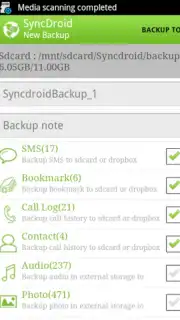
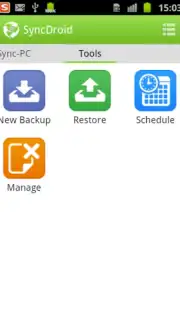
SyncDroid understands that your data is as unique as you are. That’s why it presents a beautifully organized list of every category on your phone, from your call history and text messages to your sprawling photo gallery and app data. You’re in the driver’s seat, selecting exactly what to save and what to skip for every backup. The true magic happens when you enable automatic backups. Set your preferred schedule, and the app works silently in the background. The more frequent your backups, the more secure your data becomes, creating a seamless safety net that protects you from accidental loss without any daily effort on your part.
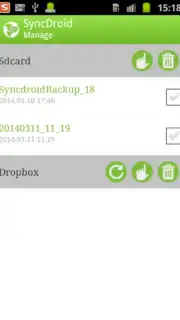
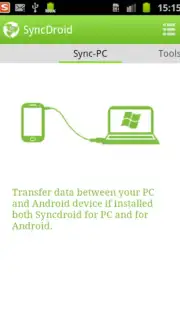
Connecting and managing your backups is astonishingly simple. For a full-system safeguard, just plug your phone into your Windows computer via USB cable—SyncDroid’s official desktop integration makes the process flawless. But your safety net extends far beyond your desk. With seamless cloud synchronization to services like DropBox, your backups exist in multiple secure locations. Whether you choose local storage on your device, your computer, or the cloud, you have a versatile arsenal of options for saving and restoring everything, including content from third-party apps.
- Granular Backup Control: Hand-pick exactly which data to save, from call logs and contacts to media files and app data.
- Set-and-Forget Automation: Schedule automatic backups to run frequently, ensuring your latest data is always protected without manual work.
- Universal Restore Flexibility: Save backups directly to your phone, computer, or sync with DropBox for ultimate recovery options.
Stop risking your digital memories and essential information. Take control of your data security today with the most trusted and comprehensive backup solution available. Download SyncDroid now and wrap your digital life in an unbreakable layer of protection!
Internet required. IAP available.
Information
| Version | 3.4.0 |
| Developer | SyncDroid |
| Requirements | Android Android + 3.0.x+ |
| Updated | 17.03.2026 |
| Size | 4.61 MB |
| Package | com.syncios.syncdroid |
| Signature | a02364ecf6de3fcbbfe4ec1b0db1c562 |
| Architecture | universal |


