


TabX: Multi Screen Browser screenshots (6)

Description TabX: Multi Screen Browser
A New Approach to Mobile Browsing
The standard mobile browser, with its single-window design, often creates a bottleneck for productivity and research. Switching between tabs to compare information, reference a document while writing, or monitor multiple live feeds becomes a tedious cycle of loading and reloading. This fragmentation interrupts workflow and limits the potential of a modern smartphone. TabX: Multi Screen Browser addresses this core limitation by transforming your device's display into a multi-pane workspace, allowing several web pages to be active and visible simultaneously.
Core Functionality and Interface Mechanics
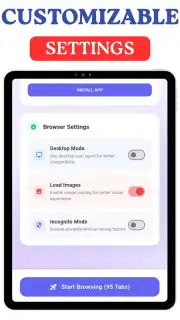
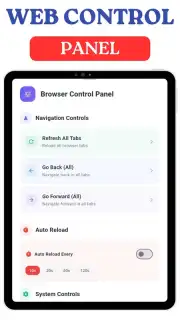
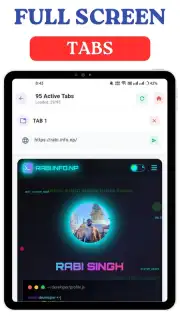
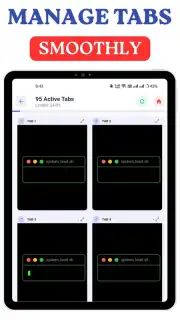
TabX operates on the principle of screen partitioning. Upon launch, users can divide their screen into two, three, or four independent browser panels. Each panel functions as a fully-featured, standalone browser instance with its own address bar, navigation controls, and tab management. You can load different websites into each pane—for example, a research paper in one, a related video tutorial in another, and a note-taking app in a third. The panels are resizable with intuitive drag handles, letting you prioritize the most important window. A master control panel allows for quick actions like refreshing all panes at once or copying a URL from one pane to another. The app manages system resources efficiently to keep all active pages responsive, though performance is naturally dependent on webpage complexity and device specifications.
Key Operational Advantages
The primary advantage of TabX is the elimination of context switching. This is not merely a quality-of-life improvement but a substantive change in how you can use the mobile web for complex tasks. The visual design is utilitarian and clean, prioritizing screen real estate for content over decorative elements. All chrome and controls minimize when not in use. From a performance perspective, the app employs a dedicated caching system for each pane to facilitate quick reverting between configurations and uses a streamlined rendering engine optimized for concurrent operation.
- Simultaneous Multi-Pane Browsing: Display and interact with up to four independent websites side-by-side without switching tabs.
- Fully Customizable Layout Grid: Resize each browser panel dynamically by dragging dividers to create a personalized workspace.
- Independent Session Management: Each pane maintains its own cookie store, login sessions, and browsing history for separate workflows.
- Universal "Copy to Pane" Function: Instantly transfer a URL from your current panel to any other open pane with two taps.
- System-Wide Floating Window Mode: Detach any pane into a persistent floating browser window that stays on top of other apps.
We suggest trying TabX: Multi Screen Browser if your mobile browsing involves frequent cross-referencing, real-time data monitoring, or any task that benefits from a multi-window desktop environment.
Download mobile app now
A stable internet connection is required for browsing. The app may contain optional in-app purchases for advanced feature unlocks.
Information
| Version | 1.2.5 |
| Developer | AppVenturePro |
| Requirements | Android Android + 7.0+ |
| Updated | 17.03.2026 |
| Size | 51.95 MB |
| Package | com.appventurepro.tabx |
| Signature | 6ce04b334028afacc5ea46c9f2b47413 |
| Architecture | armeabi-v7a, arm64-v8a, x86_64 |


