

Tap Screen On/Off screenshots (3)
Description Tap Screen On/Off
Effortless Screen Control Without the Power Button
Managing your device's screen typically requires pressing a physical button, which can be inconvenient, slow to respond, or prone to wear over time. This app provides a purely software-based alternative, turning any area of your display into a responsive control zone for turning the screen on or off with a simple tap. It eliminates the dependency on hardware, offering a customizable and potentially more reliable method for daily screen management.
Core Functionality and Customization
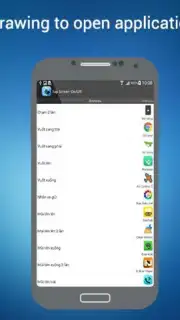
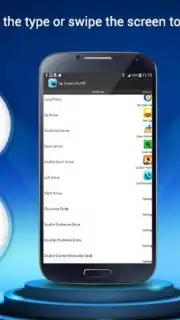
Tap Screen On/Off operates by creating interactive, transparent overlay zones on your screen. A single or double tap within a designated zone executes the screen on/off command. The primary mechanics involve extensive customization of these trigger areas. Users can define the exact size, shape, and screen position for the tap zones, ensuring they are placed where they are most convenient and least obstructive. The app includes sensitivity adjustments to prevent accidental activation and supports different tap actions, such as a single tap to turn the screen off and a double tap to wake it. Visual feedback can be toggled to show the zone's boundaries during setup.
Key Operational Advantages
The utility's main strength lies in its lightweight design and non-intrusive operation. It runs efficiently in the background without consuming significant battery or system resources. The interface is straightforward, focusing on practical settings over complex menus, which allows for quick configuration. By offering a software solution to a hardware function, it can extend the lifespan of your physical power button and provide faster screen response times. The overlay is designed to be compatible with most other applications, functioning seamlessly across the system UI and third-party apps.
- Fully Customizable Tap Zones: Define the exact size, position, and shape of your screen control areas for perfect placement.
- Dual-Function Tap Support: Configure separate actions for single and double taps within your designated active zones.
- Minimal Resource Footprint: Engineered for background efficiency with negligible impact on battery life or device performance.
- Visual Setup Guides: Toggle visual indicators to see your control zones during configuration for precise alignment.
- Universal System Integration: The overlay service works consistently across the home screen, lock screen, and within other applications.
Get your bonus of convenience and device care by integrating this smarter control method today.
This application requires a stable internet connection for initial download and access to the Google Play Store. It may contain optional in-app purchases for advanced feature unlocks. The core screen on/off functionality is provided as a system overlay service.
Information
| Version | 1.6 |
| Developer | Le Khanh Ly |
| Requirements | Android Android + 4.1, 4.1.1+ |
| Updated | 17.03.2026 |
| Size | 920.54 KB |
| Package | org.frc.tapscreenonoff |
| Signature | c6185e5126695d6b1fdd0ed668f428db |
| Architecture | armeabi, armeabi-v7a, mips, x86 |


