


Tesla screenshots (8)
Description Tesla
Your Tesla, Now a Remote-Control Command Center
The Tesla mobile application transforms your smartphone into the primary interface for your Tesla vehicle and energy products, extending functionality far beyond a traditional key fob. This official tool is engineered for direct digital management, providing granular control over your car's security, climate, charging systems, and location tracking from any distance with an internet connection. For owners of Powerwall or other Tesla energy products, the app integrates these systems into a single dashboard, making comprehensive oversight not just convenient but essential for optimized performance and utility.
Core Functionality and Remote Management Systems
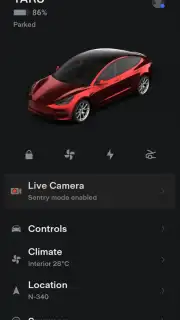
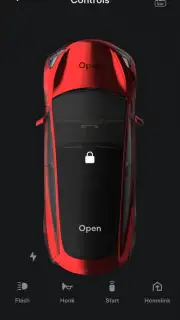
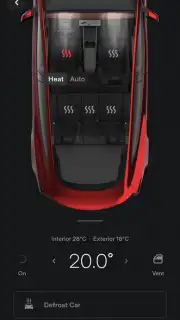
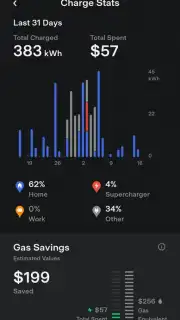
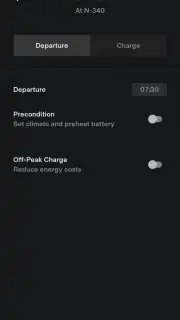
The application establishes a persistent, secure connection to your vehicle, enabling a suite of remote commands. It functions as a digital key, using Bluetooth proximity to automatically unlock doors and enable drive-away capability without physical key interaction. The climate control system can be activated remotely to pre-heat or pre-cool the cabin to a specified temperature before entry, a function that also supports Pet Comfort Mode to maintain a safe environment for animals left briefly in the vehicle. The charging interface provides real-time monitoring of battery status, allows you to start or stop a charging session, adjust the charging current limit, and view precise time-to-completion estimates based on the selected power source.
Integrated Security and Vehicle Control Features
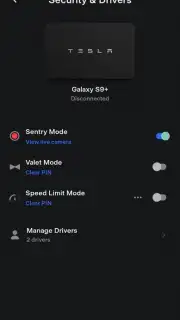
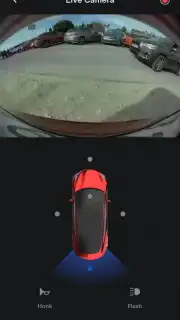
A comprehensive security suite is accessible through the app's live view. This includes Sentry Mode activation, which arms the vehicle's external cameras and sensors to record and deter potential threats. The app delivers instant push notifications if an incident is detected. You can view live camera feeds from all external cameras to visually inspect your vehicle's surroundings. For location-based functions, the app displays the vehicle's real-time GPS position on a map and can trigger the horn to sound or the headlights to flash to aid in visual identification in crowded parking areas. For precise maneuvering in tight spaces, the Smart Summon feature allows you to move the vehicle forward or backward remotely from within direct line of sight.
Driver Profiles and Access Management
The application supports multi-user management through configurable driver profiles. As the primary account holder, you can grant driving access to others while establishing custom parameters for each profile. These parameters can include speed limit mode, which restricts the vehicle's maximum speed, and valet mode, which limits access to personal data and glovebox contents. This system ensures that vehicle usage aligns with your preferences, regardless of who is behind the wheel.
- Digital key with Bluetooth proximity
- Remote climate and charging control
- Live camera security and Sentry Mode
- Vehicle locator with horn and light commands
- Configurable driver profiles with limits
- Energy product monitoring dashboard
This application is a non-negotiable component of the Tesla ownership experience, unlocking the full potential of your vehicle's connected technology. The depth of control and real-time information it provides fundamentally changes how you interact with your car and energy systems.
Download the Tesla app immediately to take direct command of your vehicle and energy products from anywhere.
Disclaimer: This application requires an active internet connection for full functionality. Certain features require a premium connectivity subscription. Features and vehicle capabilities vary by model, configuration, and region. Always be aware of local laws when using remote vehicle functions.
Information
| Version | 4.54.5-4133 |
| Developer | Tesla Motors, Inc. |
| Requirements | Android Android + 7.0+ |
| Updated | 17.03.2026 |
| Size | 370.07 MB |
| Package | com.teslamotors.tesla |
| Signature | c16ab2500129bdc0fa70daa813815b34 |
| Architecture | armeabi-v7a, arm64-v8a |


