

Text Viewer screenshots (6)
Description Text Viewer
What is the most efficient way to read text files on an Android device?
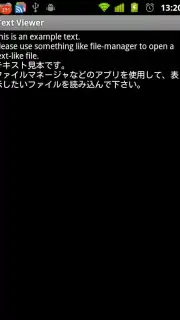
For users who regularly work with .txt files or similar document formats, finding a viewer that combines simplicity with robust functionality can be a challenge. Text Viewer by Takahiro Yoshimura addresses this need directly, providing a focused tool for opening and reading text-based files on devices running Android 1.6 and later. Its core operation centers on delivering a clean, customizable reading experience without the bloat of unnecessary features. The application distinguishes itself through intelligent automatic character encoding detection, which is critical for accurately displaying files created in different regions or systems, eliminating the common issue of garbled text.
Core Functionality and Customization
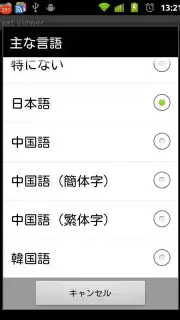
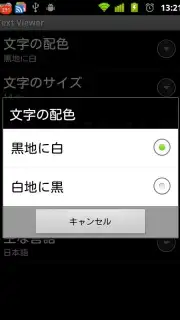
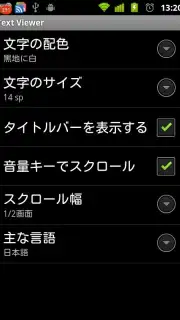
The utility of Text Viewer is built upon several key technical features. Primary among these is its extensive multilingual support, which includes complex scripts such as Japanese, Chinese (both Simplified and Traditional), and Korean. This capability ensures that the app is viable for a global user base, not just those using Latin alphabets. A significant focus is placed on visual ergonomics, offering two distinct color themes. The dark theme presents white text on a black background, a design specifically noted for reducing power consumption on OLED/AMOLED displays and minimizing eye strain in low-light conditions. The alternative is a standard light theme with black text on a white background for conventional reading.
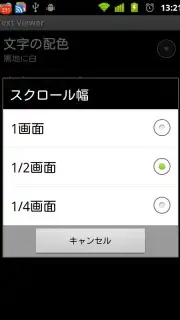
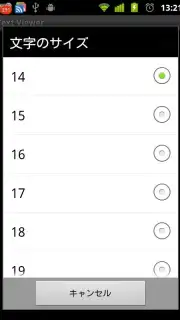
User control over the reading session is precise. Font size can be adjusted incrementally to suit individual preference or document type. Furthermore, the app implements a unique control scheme by mapping the device's physical volume keys to vertical scrolling functions. The scroll increment per key press is user-configurable, allowing for anything from fine, line-by-line navigation to rapid page turns. This hands-on approach to navigation enhances one-handed usability and provides a tactile alternative to touch-screen swiping.
Key Advantages for the User
- Universal Text Compatibility: Automatically detects file encoding and supports East Asian languages, preventing display errors.
- Reader-Focused Display Modes: Offers an OLED-optimized dark theme for battery saving and a standard light theme, both designed for comfort.
- Configurable Hardware Controls: Enables custom scrolling through text files using your device's volume buttons for improved navigation.
The application maintains a clean user experience by operating without advertising. Its design philosophy prioritizes direct access to files and a distraction-free environment to read them, which can contribute to more productive and efficient document review sessions. For optimal use, exploring all available settings is recommended to tailor the behavior to your specific needs. The developer provides channels for user feedback, allowing for the reporting of technical issues or the submission of feature requests directly, which indicates ongoing project support.
Get your essential document reader today and streamline how you interact with text files on your Android device.
This application requires an internet connection for initial download and potential update checks. The app may contain options for in-app purchases.
Information
| Version | 0.1.11 |
| Developer | Takahiro Yoshimura |
| Requirements | Android Android + 8+ |
| Updated | 17.03.2026 |
| Size | 48.24 KB |
| Package | com.gmail.altakey.dawne |
| Signature | 252f3bcdb0dc8c7452b3982f934ff63f |


