

TextWarrior screenshots (4)
Description TextWarrior
A Practical Solution for Android Text Editing Challenges
Editing text on an Android touchscreen presents distinct mechanical challenges, from imprecise cursor placement to the intrusive pop-up of the virtual keyboard during scroll actions. These common interactions disrupt workflow and reduce efficiency, particularly for users engaged in coding, detailed document editing, or lengthy composition. TextWarrior, developed by MyopicMobile, functions as a specialized tool designed to address these core interface limitations directly. It provides a command-oriented editing environment that replaces cumbersome touch gestures with customizable, precise controls, effectively minimizing friction for any text-based task.
Core Functionality and Advanced Feature Set
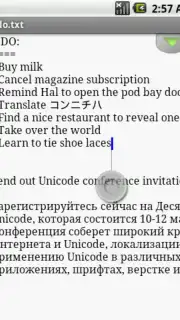
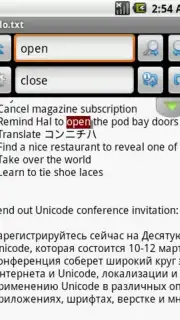
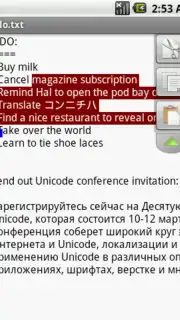
The application’s primary innovation lies in its reimagined navigation system. It offers five distinct methods for cursor control, catering to different user preferences and device setups, especially where a physical keyboard or stylus is absent. This flexibility fundamentally changes text selection and dragging, making these actions deliberate rather than accidental. Beyond navigation, the editor integrates syntax highlighting for programming languages including Java and Python, which parses code structure visually for improved readability and error detection. A movable clipboard panel and robust in-place search-and-replace functions further distinguish it from standard text editors, allowing for complex edits without constant context switching.
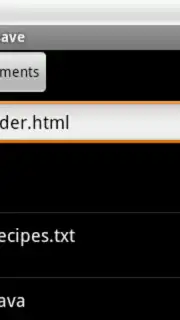
The utility extends into deep text formatting and management. Features such as automatic indentation, word wrap, visible whitespace indicators, and configurable tab width provide granular control over document structure. It supports a wide array of text encodings, like UTF-8 and UTF-16, and handles different line-ending styles, ensuring file compatibility. An extensive undo/redo history safeguards against accidental changes. The interface itself is not static; users can customize UI elements, theme colors, and gesture mappings to create a personalized editing workspace that adapts to various input methods, from touch to external peripherals.
Operational Efficiency and User-Centric Design
Performance is maintained through a local-first, permission-light architecture. As an open-source project, TextWarrior eliminates internet permissions typically used for advertising networks, focusing system resources solely on editing tasks. This approach not only enhances privacy but also ensures the application remains responsive and free from disruptive ads or paywalls. The community-driven development model encourages iterative improvements focused on practical utility, resulting in a tool that scales from simple note-taking to managing multi-file code projects without performance degradation or distracting monetization elements.
- Precision Navigation Controls: Implements five unique cursor movement methods for accurate text selection and editing on touchscreens.
- Developer-Focused Tools: Features syntax highlighting for multiple programming languages and a movable clipboard for efficient code management.
- Deep Customization & Compatibility: Offers configurable UI themes, tab width, and supports numerous text encodings and line endings for professional use.
Download TextWarrior mobile app now. This version offers exclusive, ad-free access to all advanced editing tools—a limited offer for the first wave of users to optimize their Android workflow today.
Disclaimer: This application functions offline and does not require intrusive internet permissions. It may contain in-app purchase options for future premium features. Users are advised to review their device's compatibility and age ratings. Data usage is limited to optional update checks and user-initiated file operations. Always back up important documents separately.
Information
| Version | 0.93 |
| Developer | MyopicMobile |
| Requirements | Android Android + 2.1.x+ |
| Updated | 17.03.2026 |
| Size | 335.77 KB |
| Package | com.myopicmobile.textwarrior.android |
| Signature | ebebd91274d6df889e3be3e60b9fbfc8 |


