

The Cleaner screenshots (6)
Description The Cleaner
A Comprehensive Analysis of The Cleaner for Android
This utility application provides a structured, multi-tab approach to device maintenance, focusing on reclaiming system resources and managing installed software. Its core functionality is segmented into four distinct operational areas, each targeting a specific aspect of device performance and storage management. The design prioritizes selective user control, allowing for individual scanning and cleaning actions rather than enforcing a monolithic process.
Core Functional Modules and Performance Impact
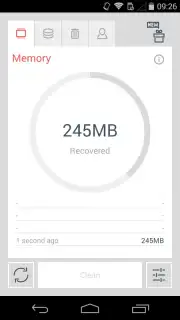
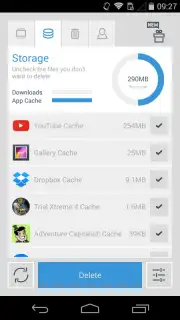
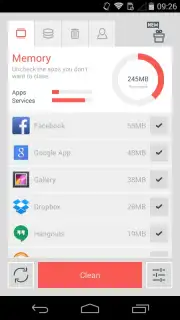
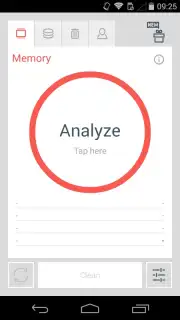
The application's interface is organized into four primary tabs: Memory, Storage, Apps, and Conversations. The Memory tab is designed to terminate background processes and free RAM. It provides a real-time view of resource consumption, enabling users to select specific applications and services to stop. Upon execution, the tool reports the exact amount of memory and the percentage of RAM freed by the action. The Storage tab automates the removal of residual files, including application cache, leftover APK files from installations, and various temporary data. Regular use of this function is presented as a method to improve device responsiveness by systematically clearing non-essential data.
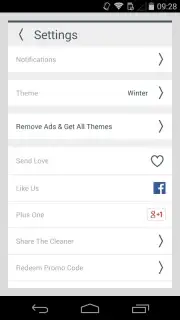
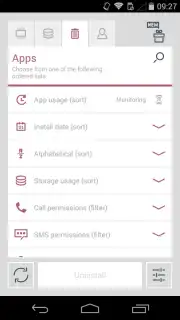
The Apps tab functions as a centralized management console for all installed applications. It supports batch uninstallation and offers multiple sorting filters, including date, alphabetical order, memory usage, and specific permission categories such as call, SMS, contact, and camera access. Selection and removal are executed through a dedicated interface. The Conversations tab aggregates messaging history across applications by contact, providing an option to delete entire chat histories in a single operation. Beyond these core features, the application includes automated scheduling for cleaning processes and customizable visual themes, allowing for a degree of personalization in its operation.
Key Operational Features
- Selective Memory Management: Targets and terminates background processes to free RAM, with a detailed post-action report on resources recovered.
- Deep Storage Cleaning: Removes application cache, residual installation files, and temporary data to reclaim storage space and enhance system speed.
- Centralized App Control: Enables batch uninstallation with advanced sorting by size, permissions, and usage for precise application management.
Get your device running at optimal efficiency. Download The Cleaner mobile app now to reclaim storage, free up memory, and take full control of your system maintenance.
Disclaimer: This application requires an internet connection for initial download and potential updates. It may offer in-app purchases. Use of the app involves the processing of system data related to storage, applications, and messages. Please be aware of your device's age restrictions and review the app's data usage and privacy policy before installation.
Information
| Version | 2.0 |
| Developer | Liquidum Limited |
| Requirements | Android Android + 4.1, 4.1.1+ |
| Updated | 17.03.2026 |
| Size | 5.97 MB |
| Package | com.liquidum.thecleaner |
| Signature | c90ed36719e98cc345204b32d19d71f0 |
| Architecture | universal |


