

Thermal Vision Camera screenshots (9)
Description Thermal Vision Camera
See the World Through a Different Lens
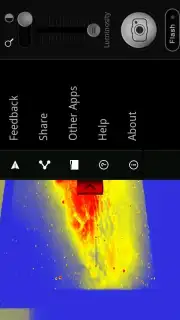
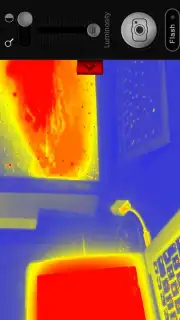
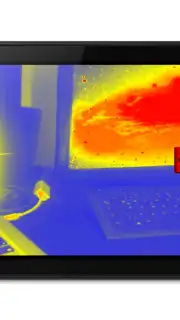
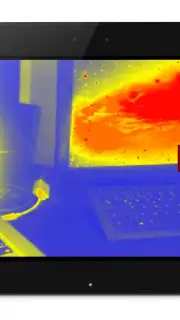
Imagine exploring your surroundings with the enhanced perception of thermal imaging, all through your smartphone. This application utilizes your device's camera and a sophisticated brightness enhancement algorithm to simulate the visual experience of thermal vision goggles. It transforms your everyday view into a dynamic heat-map display, offering a creative perspective reminiscent of technology seen in popular science fiction.
Core Functionality and Technical Operation
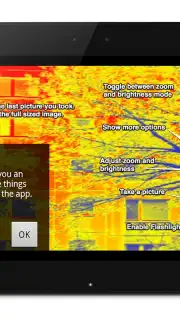
This tool generates a real-time thermal-style visualization by processing the light intensity captured by your phone's primary camera. It is designed for entertainment and creative photography, providing a novel method to capture and share unique images. While smartphone cameras cannot detect true infrared radiation, this application applies a color gradient overlay—typically from blue (cool) to red/white (hot)—based on ambient light levels to create a convincing thermal effect. Performance and image clarity are dependent on your specific device hardware and sensor capabilities.
For optimal results, use the app in low-light conditions and ensure your hand is steady. The visual output can be adjusted and refined using the app's built-in control settings.
Detailed Feature Set
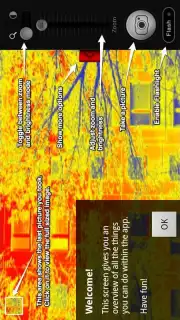
The application includes a suite of tools designed for control and customization of the thermal imaging simulation.
- Live Thermal Viewfinder: Stream a continuous, color-mapped thermal simulation directly through your phone’s camera interface in real time.
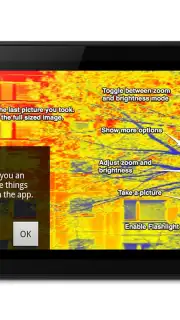
- Adjustable Image Parameters: Manually control the brightness sensitivity and gradient scale to fine-tune the thermal effect for different lighting environments.
- High-Resolution Capture: Save your thermal-style images and videos directly to your device gallery in high resolution for editing or sharing.
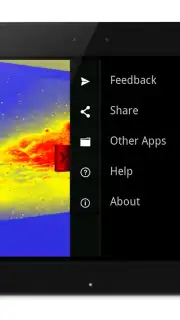
- Integrated Sharing Module: Instantly export your creations to major social media platforms and messaging apps directly from within the application.
- Auxiliary Light Control: Activate your device’s LED flash or screen-based torch function to illuminate subjects in near-total darkness, improving sensor input.
- Digital Zoom Capability: Utilize pinch-to-zoom functionality to focus on specific details within the simulated thermal field of view.
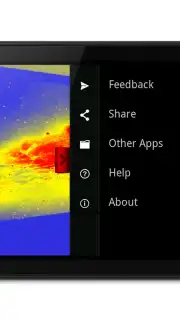
- Minimalist User Interface: Navigate through a streamlined and intuitive control layout that prioritizes camera access and settings adjustment.
Download the Thermal Vision Camera app now! Transform your perspective instantly and start capturing the world in a spectrum of heat. Don't wait—experience this unique visual tool today!
Internet connection required for initial download and social features. In-app purchases may be available.
Information
| Version | 3.2 |
| Developer | Mister Borken |
| Requirements | Android Android + 4.0.3, 4.0.4+ |
| Updated | 17.03.2026 |
| Size | 2.64 MB |
| Package | mobi.borken.android.cameraeffects.app.tvc |
| Signature | c101d3faddce6f605c1512d7aaaa3dc4 |
| Architecture | armeabi-v7a, x86, arm64-v8a, x86_64 |


