


TickTick screenshots (10)
Description TickTick
Is Your To-Do List a Source of Stress or a Tool for Mastery?
Most task management apps promise order but deliver complexity, burying simple actions under layers of menus and notifications. Where does TickTick, now in its mature 8.0.3.0 iteration from developer Appest Inc., stand in this crowded field? This analysis examines its core mechanics as a business and productivity tool, moving beyond surface-level praise to assess its functional architecture. The central question is whether its acclaimed simplicity is a limitation or the foundation of a robust organizational system.
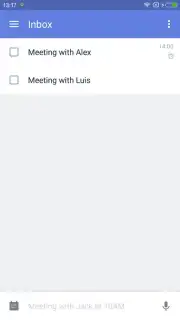
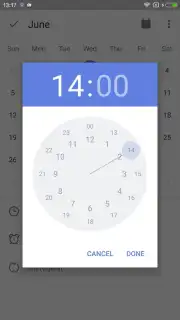
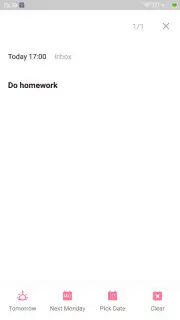
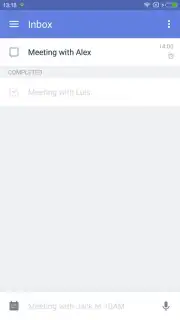
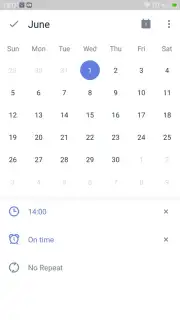
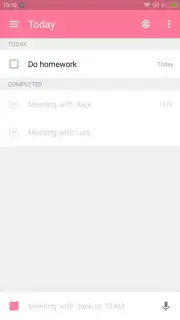
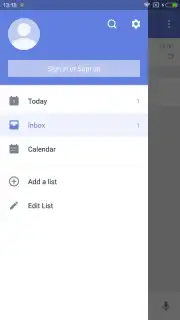
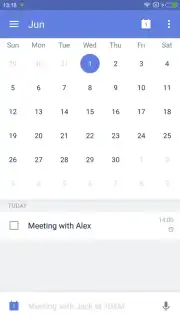
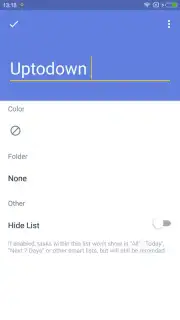
The initial interaction confirms a deliberate design philosophy. The interface presents a clean, focused canvas that defaults to a calming blue theme, avoiding visual noise that can derail concentration. Task entry operates on a principle of immediate capture: you can create an item for any future date and attach programmable reminders in a few taps, establishing a reliable external memory system. The satisfaction mechanism is deliberately simple—a tap to check off a task, which then clears from the active view, providing clear visual feedback and a sense of closure. Beyond daily tasks, the app accommodates structured planning for meetings, deadlines, and recurring obligations without forcing a specific methodology on the user.
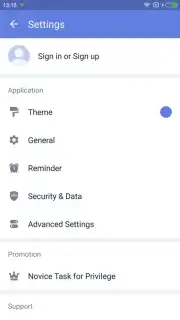
Where TickTick reveals greater depth is in its configurable environment. The settings panel allows for meaningful personalization, not merely cosmetic changes. While the default theme is provided, several alternative color schemes are available to reduce eye strain or match visual preferences. More significantly, access can be secured with a custom passcode, adding a necessary layer of privacy for business-sensitive lists. The advertised "Turbo" upgrade path suggests an expansion of these capabilities, positioning the free version as a fully functional core experience focused on ad-free execution. This creates a system that is elegantly simple for beginners yet offers pathways to advanced customization for power users seeking more control over their workflow and data security.
- Quick-capture task creation
- Programmable date-based reminders
- Customizable interface themes
- Passcode lock for privacy
The gap between intention and action is where productivity breaks down. This version of TickTick provides a notably refined tool to bridge that gap. For a limited time, new users can explore its ad-free core system and organizational framework. Download TickTick today and implement a structured approach to your daily objectives.
Disclaimer: This application requires an internet connection for certain features and account synchronization. Optional in-app purchases are available to unlock premium "Turbo" functionalities. The service may involve the collection and use of data as outlined in the developer's privacy policy. Users should ensure the app is suitable for their age and data usage requirements.
Information
| Version | 8.0.3.0 |
| Developer | Appest Inc. |
| Requirements | Android Android + 5.0+ |
| Updated | 17.03.2026 |
| Size | 52.16 MB |
| Package | com.ticktick.task |
| Signature | 2384b3b41777bd4b6a8132a77288a534 |
| Architecture | armeabi-v7a, x86, arm64-v8a, x86_64 |


