

ToolWiz Photos screenshots (9)



Description ToolWiz Photos
Transform Your Photos with a Single Tap
Ever feel like your phone's gallery is full of missed potential? Standard editing apps often leave you with basic filters and clunky controls, making professional-looking edits feel out of reach. ToolWiz Photos shatters that barrier, delivering a comprehensive suite of over 30 powerful editing tools wrapped in an elegantly minimal interface. This isn't just another photo app; it's a creative workshop designed to elevate your images from ordinary to extraordinary, combining serious editing power with genuinely entertaining features.
A Detailed Toolkit for Every Editing Need
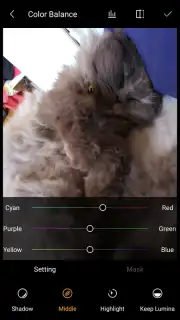
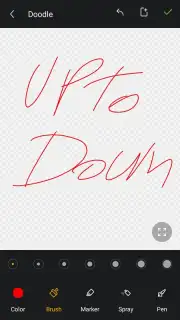
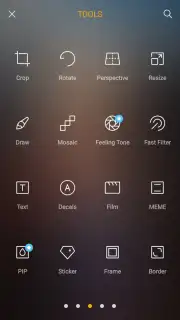
The core of ToolWiz Photos is its remarkably diverse functionality. You gain precise control over fundamental image properties, allowing you to manually adjust exposure, fine-tune color saturation, modify contrast, and correct white balance for perfect tonal reproduction. The application provides advanced cropping and rotation tools with alignment guides, alongside a vast library of artistic filters and visual effects to instantly change the mood of any shot. For direct customization, you can overlay text with multiple font choices, add decorative borders and frames, and seamlessly stitch photos together into dynamic collages with fully adjustable layouts.
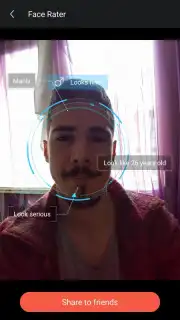
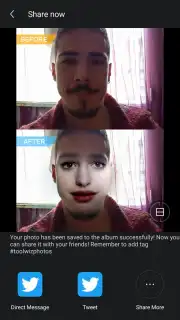
Beyond standard corrections, the app includes unique proprietary tools for creative exploration. The face replacement feature allows for precise cutouts and swaps, while the AI-powered face scanner analyzes portraits to detect and display estimated gender and age data. For multimedia projects, you can compile edited photos into polished video presentations synced with background music from your library. A significant advantage is the ad-free Turbo experience, which removes all promotional interruptions to provide a fluid, focused editing workflow from start to finish.
Core Features at a Glance
- Over 30 professional editing instruments
- AI face analysis and swap technology
- Create music-synced photo presentations
- Ad-free Turbo mode for seamless operation
Stop letting your photos sit in your gallery unseen. Unleash their full potential with the precise tools and creative fun of ToolWiz Photos. Download the mobile app now and start creating stunning visual content today!
Internet required. IAP available.
Information
| Version | 23.1 |
| Developer | Toolwiz |
| Requirements | Android Android + 3.0.x+ |
| Updated | 17.03.2026 |
| Size | 5.49 MB |
| Package | com.btows.photo |
| Signature | 14937ec6d44f1abbd8bc6a9be37b2b45 |
| Architecture | universal |


