


Total Commander screenshots (4)
Description Total Commander
Managing Android Files Without a Desktop File Manager's Power
For users accustomed to the granular control of desktop file managers on Windows, managing files on an Android device can feel restrictive. The standard system tools often lack advanced functionality for batch operations, archive handling, and direct server access. Total Commander for Android ports the core utilities of its renowned Windows counterpart directly to mobile, providing a technical solution for complex file management tasks without requiring a computer as an intermediary.
Functional Analysis and Core Mechanics
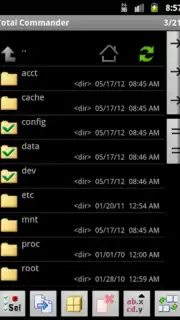
This application replicates the dual-pane interface and keyboard shortcut-driven logic of the desktop Total Commander within a mobile environment. The primary operational mode allows for direct manipulation of files and directories across local storage, cloud services, and network locations. Users can execute move, copy, and paste commands on entire folder structures in a single operation. The application includes standard file management tools for creating new directories and renaming existing items. A critical operational note is the absence of a system-integrated recycle bin; file deletion actions are typically permanent, necessitating caution.
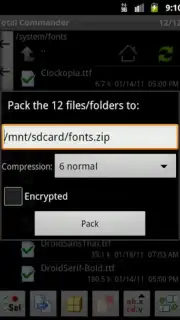
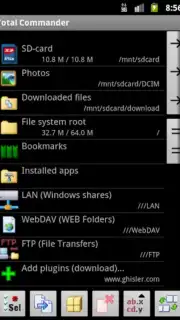
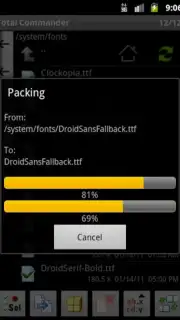
The utility extends significantly into archive management. The integrated handler supports major compression formats, including .ZIP and .RAR, allowing users to directly browse archive contents, extract files, and create new compressed archives from selected items on the device. Beyond local storage, the app incorporates a full-featured FTP client, accessible via a homescreen widget for rapid connection, enabling direct file transfers to and from web servers. For on-device editing, a built-in text editor is provided, removing the need to switch applications for quick modifications to configuration files, code snippets, or notes.
Key Feature Set
- Dual-pane file management interface
- Full archive support (ZIP, RAR)
- Integrated FTP client with widget
- Built-in text editor for local files
The interface prioritizes function over form, presenting a utilitarian layout that experienced users will recognize for its efficiency. While the visual design may not align with modern material design guidelines, its configuration is highly practical, placing a dense array of actionable controls and information within immediate reach.
We suggest trying Total Commander for Android if you require desktop-level file control on your mobile device. Consider downloading it for direct, ad-free management of local and network storage.
Heads up: you'll need wifi for most network features like FTP. Some cool stuff is extra.
Information
| Version | 3.62b2d |
| Developer | C. Ghisler |
| Requirements | Android Android + 2.2.x+ |
| Updated | 17.03.2026 |
| Size | 5.34 MB |
| Package | com.ghisler.android.TotalCommander |
| Signature | 8fb6f878338a5d35426ac36096b1bb53 |
| Architecture | armeabi, armeabi-v7a, mips, x86, arm64-v8a, x86_64 |


