

Touch Lock screenshots (5)

Description Touch Lock
Ever hand your phone to a child for a quick video, only to have them accidentally call your boss or exit to your home screen? What if you could lock the screen into a single app, creating a perfectly secure, interruption-free viewing zone?
Touch Lock is the essential Android utility that transforms your device into a dedicated, kid-safe media player or a focused personal cinema. It works by temporarily disabling all physical buttons—like volume, power, and home—along with system gesture controls. This creates a protected environment where the chosen video content stays front and center. No more unexpected taps closing your app, no sudden switches to other programs, and absolutely no accidental dialing. It’s the digital equivalent of childproofing your phone for media time, giving you genuine peace of mind. Beyond parenting, it’s a powerful tool for anyone who wants to watch a movie, presentation, or long YouTube playlist without any interruptions from misplaced presses or system pop-ups.
The app delivers a streamlined, highly effective locking mechanism. Once activated, it places a persistent notification and lock screen overlay that captures all input, ensuring only intentional on-screen interactions within your chosen app are possible.
Core Features & User Experience
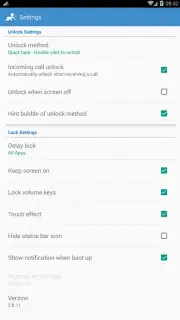
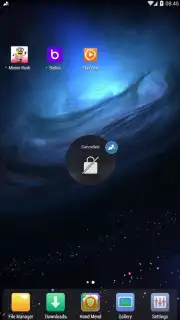
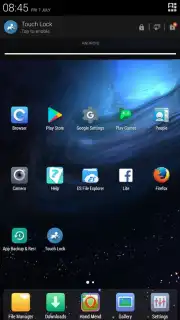
Engaging Touch Lock is a straightforward process designed for immediate use. You simply launch the app you want to lock—be it YouTube, Netflix, a local video player, or any other—and then activate Touch Lock with a single tap. The interface is minimal and intuitive, putting functionality first.
- Complete Button & Gesture Lockdown: Physically secures the power, volume, and home buttons, and blocks edge-swipe gestures and the navigation bar. Your screen becomes a fixed, tamper-proof window.
- Flexible Activation & Deactivation: Locking is instant. Exiting the locked mode is achieved through a simple, parent-only method (like a specific pattern or PIN), preventing clever little fingers from figuring it out.
- Universal App Compatibility: Works seamlessly with virtually any application on your Android device. Whether it’s a streaming service, educational app, or photo gallery, you can lock the screen to it.
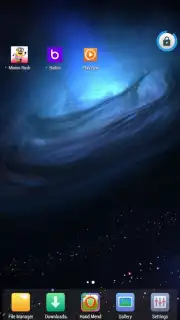
- Persistent Visual Indicator: A clear, always-visible overlay icon confirms the lock is active, so you’re never in doubt about the device’s secured state.
- Optimized for Extended Viewing: By preventing screen timeout from button presses, it aids in creating an uninterrupted viewing session for long movies or playlists.
This tool effectively turns any Android smartphone or tablet into a dedicated, secure viewing device. For parents, it means handing over a phone for entertainment without anxiety. For adult users, it enables truly immersive viewing by eliminating the common frustration of accidentally pausing or minimizing a video.
Download Touch Lock now and reclaim your peace of mind during screen time.
Heads up: The app requires standard Android permissions to display over other apps and access the notification panel to function. It works best with a stable device and is intended for use with Wi-Fi for streaming content. The core locking feature is fully functional, with optional advanced settings potentially available.
Information
| Version | 3.16.19080300 GP RELEASE |
| Developer | KIDSCRAPE PTE. LTD. |
| Requirements | Android Android + 4.2, 4.2.2+ |
| Updated | 17.03.2026 |
| Size | 6.63 MB |
| Package | com.kidscrape.king |
| Signature | 64e006090e334f584ff9a93a18773f4c |
| Architecture | universal |


