

Tux Paint screenshots (6)
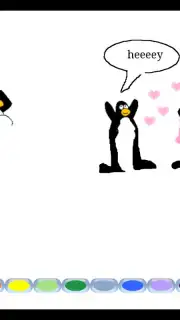
Description Tux Paint
A Digital Canvas for Unrestrained Creativity
For those seeking a straightforward, accessible digital art studio without the complexity of professional software, Tux Paint provides a focused environment. It removes the barrier of intricate menus and overwhelming toolbars, presenting a clean workspace where the primary objective is creation. This application is engineered for direct artistic expression, prioritizing immediate engagement with drawing tools over navigating a steep learning curve.
Core Tools and Creative Mechanics
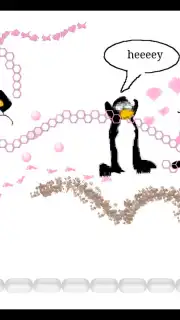
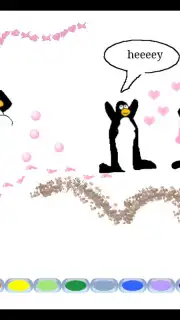
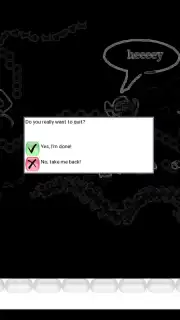
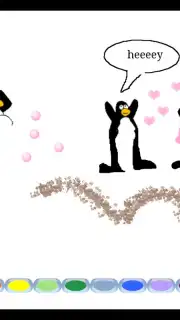
The interface is built around a central canvas, flanked by a persistent toolbar offering a curated selection of artistic instruments. The brush tool provides variable stroke widths and textures, simulating different physical mediums. A shape library offers geometric precision, while a stamp collection—featuring characters, animals, and objects—allows for quick scene composition and decorative elements. The color palette is comprehensive yet simple to navigate, with a dedicated fill tool for solid area coloring. Each action is accompanied by playful sound feedback, and the "Magic" tool suite introduces special effects, such as blur, chalk, and rainbow tints, which alter the canvas in real-time. The workflow is linear and document-based, with clear options to start a new project, save progress, or print the final artwork directly.
Operational Advantages and User Experience
The application’s stability on devices running Android 5.0 and above ensures consistent performance. Its primary advantage is an interface devoid of advertisements and in-app navigation clutter, creating an uninterrupted creative session. The toolset, while seemingly simple, offers sufficient depth for illustrative work, diagram creation, and casual artwork. File management is handled internally, allowing users to build a portfolio of saved images without external file system complexity. The visual design is icon-driven and color-coded, making it intuitively usable without extensive written instructions.
- Simple, icon-based toolbar interface
- Variety of brushes and shape tools
- Library of decorative stamp objects
- Special effects "Magic" tool suite
Start creating your digital artwork today. Download the app now.
Internet required. IAP available.
Information
| Version | 0.9.35-rc1 |
| Developer | New Breed Software |
| Requirements | Android Android + 5.0+ |
| Updated | 17.03.2026 |
| Size | 146.3 MB |
| Package | org.tuxpaint |
| Signature | 00b144917a745125a5f53f1a671a448e |
| Architecture | arm64-v8a |


