


UC Browser screenshots (11)







Description UC Browser
Imagine a world where your smartphone browser doesn't slow down your phone, lets you grab videos in a flash, and keeps you updated with the world—all without intrusive ads. That's the reality offered by UC Browser, a lightweight yet powerful Android application engineered by UC Web. It strips away the bloat to deliver a fast, efficient, and feature-rich web experience that respects your device's resources and your time.
Core Functionality and User Experience
UC Browser is built on a foundation of exceptional resource optimization. It operates as a truly undemanding browser, intelligently managing RAM and CPU usage to ensure smooth website rendering without draining your battery or hogging memory. This technical efficiency means you can maintain multiple tabs and stream multimedia content directly within the browser, eliminating the need for external video players. The interface prioritizes simplicity and speed, providing all essential navigation tools in a clean layout that gets you to full-speed browsing instantly.
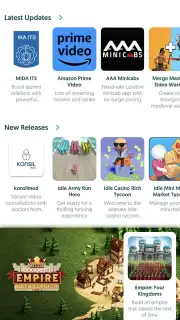
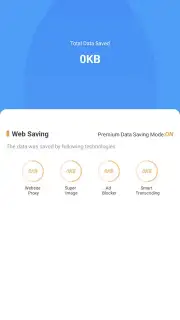
A standout feature is the integrated Turbo mode, which accelerates page loading while actively blocking unwanted advertisements and pop-ups, creating a cleaner and faster browsing environment. Furthermore, the app includes a dedicated, graphically-rich news feed that aggregates the latest global headlines and stories. This allows you to stay informed on significant events and effortlessly share any article with friends or family through integrated sharing options in just a few taps.
Organized Browsing and Advanced Download Management
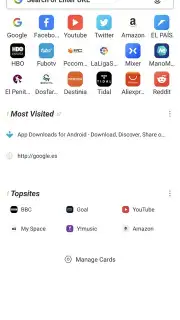
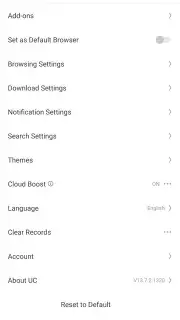
For personal organization, UC Browser offers robust bookmark management within a dedicated section, letting you save, categorize, and quickly access your most-visited websites. It also supports private browsing sessions for discreet internet surfing. Beyond typical browsing, the app excels as a powerful download manager. It features specialized capabilities for downloading online video and audio-visual content at high speeds. You can configure download settings and queue multiple files, saving them directly to your device's storage for offline viewing.
- Lightweight Performance: Advanced optimization minimizes RAM and battery use for fast browsing without slowing your device.
- Turbo Mode & Ad Block: Accelerates page loads and removes intrusive advertisements for a streamlined experience.
- Integrated News Hub: Access a visual feed of breaking news and global stories with one-tap sharing.
- Smart Download Manager: Download videos and other files at high speeds with configurable settings for offline access.
- Bookmark & Privacy Tools: Organize favorite sites with easy bookmarking and use private browsing for secure sessions.
We strongly recommend trying UC Browser for anyone seeking a faster, smarter alternative to standard mobile browsers. Consider downloading it to experience a seamless blend of speed, news aggregation, and powerful download functionality in one secure package.
Download the UC Browser mobile app now to transform your mobile web experience.
Please note: This application requires an internet connection. Some features or content may involve in-app purchases. Data privacy and security practices may vary based on your use and region.
Information
| Version | 15.1.1.1387 |
| Developer | UC Web |
| Requirements | Android Android + 8.0+ |
| Updated | 17.03.2026 |
| Size | 218.07 MB |
| Package | com.UCMobile.intl |
| Signature | 51a5eb6e85033f42271535aad119a2f4,cb3363348414b0583c830294c272e10f,d3da4ce6d6f83e18e0d2705b68cffcab |
| Architecture | armeabi-v7a, arm64-v8a |


