

Uninstaller App screenshots (4)
Description Uninstaller App
A Dedicated Uninstaller App Solves a Core Android Management Problem
Managing application removal on Android devices remains a fundamentally inefficient process within the native operating system. The standard procedure requires individual, sequential interactions for each app, whether through long-pressing an icon or navigating system settings. For users looking to reclaim storage space in bulk or quickly remove a suite of trial applications, this method consumes a disproportionate amount of time relative to the simple goal of deletion. The Uninstaller App by Turbo G&A addresses this specific workflow gap by introducing a batch operation mechanic, transforming a typically tedious maintenance task into a streamlined, single-action process.
Operational Analysis and Feature Mechanics
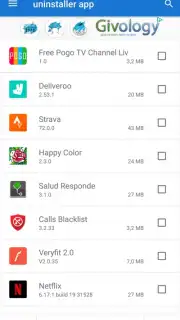
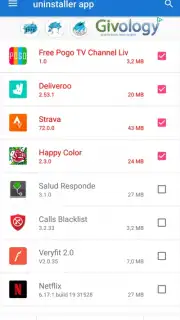
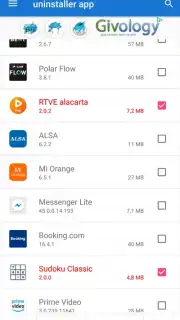
The application functions as a centralized management console for installed software. Upon launch, it generates a comprehensive, scrollable list of all games and applications present on the device, drawn from standard system APIs. The core utility lies in the selection interface; users can methodically review this list and mark multiple items for removal. The execution phase is consolidated into a single confirmation step, triggering a cascade of standard Android uninstall intents for each selected app. It is important to note the app facilitates the system's own removal protocols rather than performing deep deletion, ensuring standard system cleanup routines are followed. A noted operational condition is the absence of advertising modules within the application interface, which prevents disruptive interruptions during the management process.
The primary value proposition is the quantifiable time savings for device housekeeping. By consolidating the initiation of multiple uninstall sequences, it eliminates the repetitive navigation between home screens, app drawers, and settings menus. This is particularly impactful when clearing groups of apps after testing, removing bloatware that comes pre-installed in batches, or performing seasonal storage cleanups. The result is a more efficient path to freeing up device storage capacity and simplifying the user's installed application library.
- Batch Selection and Removal: Enables the tagging and subsequent single-tap deletion of multiple applications simultaneously, bypassing sequential system dialogs.
- Complete Installed App Inventory: Presents a unified, sortable list of all user and system applications installed on the device for comprehensive management.
- Ad-Free Management Interface: Executes the uninstallation workflow without displaying advertisement banners or video interstitials, maintaining focus on the task.
We suggest trying Uninstaller App if your device management routine involves removing several applications at once, as it directly optimizes this specific and common maintenance activity.
Download the Uninstaller App now.
Disclaimer: This application requires a functional internet connection for initial download and potential updates. It utilizes standard Android permissions to list installed applications and initiate system uninstall procedures. The developer, Turbo G&A, may offer in-app purchases or premium features in future versions. Data usage is minimal and related to app functionality. Please check Google Play Store listing for age ratings and specific permission requirements.
Information
| Version | 1.0 |
| Developer | Turbo G&A |
| Requirements | Android Android + 2.2.x+ |
| Updated | 17.03.2026 |
| Size | 2.68 MB |
| Package | com.sagames.uninstallerapp |
| Signature | d196a648d81897d0a4b045ed63f3971c |


