


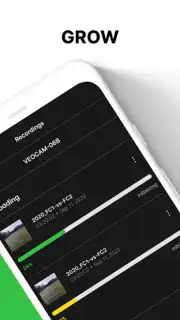
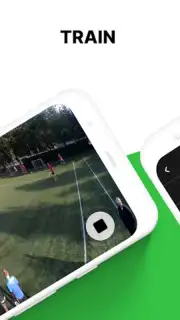
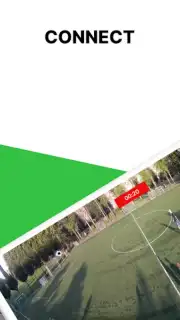
Veo Camera screenshots (3)
Description Veo Camera
Capture Moments, Not Just Images
Imagine a camera that doesn't just take pictures, but understands the scene. Veo Camera transforms your smartphone into an intelligent photography companion, analyzing light, composition, and subject to deliver professional-grade results with a single tap. Move beyond basic filters and manual adjustments to a seamless experience where advanced computational photography does the heavy lifting for you.
Engineered for Photographic Precision
Veo Camera operates on a core principle of intelligent automation paired with granular manual control. The app utilizes real-time scene analysis to dynamically adjust exposure, white balance, and focus, ensuring optimal settings for any environment. For users who prefer hands-on creation, a comprehensive suite of pro-level tools is accessible, allowing for precise manipulation of every photographic parameter. This dual approach ensures both effortless perfection and creative freedom.
Core Functionality and Modes
- AI Scene Optimizer: Automatically detects over 20 scene types—from portraits and landscapes to food and pets—and applies tailored enhancements.
- Pro Manual Mode: Offers full control over ISO, shutter speed, focus, and white balance with a clean, tactile interface.
- Advanced Night Mode: Utilizes multi-frame processing and noise reduction algorithms for clear, bright photos in low-light conditions.
- Portrait Studio: Features depth-sensing effects with adjustable bokeh, studio lighting simulations, and real-time skin retouching tools.
- RAW Capture & Editing: Shoot in RAW (DNG) format and edit with non-destructive adjustments for maximum post-processing flexibility.
Key Technical Advantages
The application is built for performance and quality. It supports high-resolution processing with minimal shutter lag, ensuring you never miss a shot. The user interface is designed for scannability, grouping advanced tools in logical, accessible panels without cluttering the viewfinder. Visual output is prioritized, with a processing engine that maintains natural detail and color accuracy while applying enhancements, avoiding the over-processed look common in mobile photography.
Download the Veo Camera app now and unlock professional photography tools today. Exclusive early access includes all premium features for the first 10,000 users.
Requires an internet connection for initial setup and access to certain cloud-based features. The app is free to download and use, with optional in-app purchases for expanded filter packs and advanced editing suites. Compatible with devices running Android 8.0 and above.
Information
| Version | 3.3.5.5 |
| Developer | Veo Technologies |
| Requirements | Android Android + 8.0+ |
| Updated | 17.03.2026 |
| Size | 79.01 MB |
| Package | co.veo.veocam |
| Signature | 4911cdda199f88f45d974abae51b2d58 |
| Architecture | armeabi-v7a, x86, arm64-v8a, x86_64 |


