


VidTrim - Video Editor screenshots (14)
Description VidTrim - Video Editor
Your Pocket-Sized Video Studio
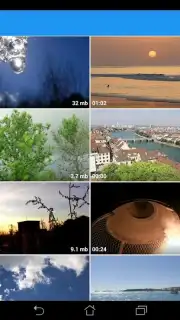
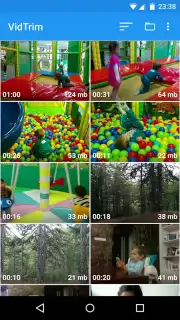
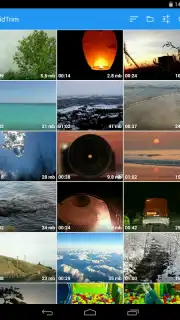
Ever find yourself with a perfect video clip, but it's just a few seconds too long or needs a quick tweak before sharing? Or perhaps your gallery is a disorganized collection of clips you've been meaning to sort and polish. VidTrim - Video Editor transforms your Android device into a streamlined, powerful editing suite designed for touch. It combines robust cutting and merging tools with essential file management, all wrapped in an intuitive interface that makes quick edits effortless and complex projects manageable. Forget about clunky, oversized apps; this editor delivers professional-grade functionality in a remarkably compact package under 20MB.
Core Functionality for Total Creative Control
VidTrim goes beyond basic trimming, offering a comprehensive toolkit to organize, refine, and repurpose your video content. The interface is built specifically for touch gestures, making actions like slicing clips or applying effects feel natural and immediate.
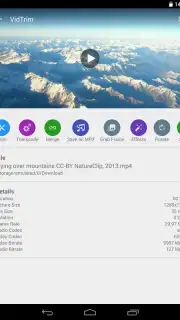
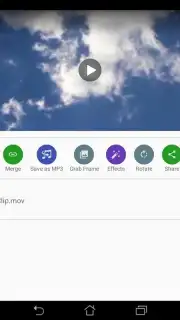
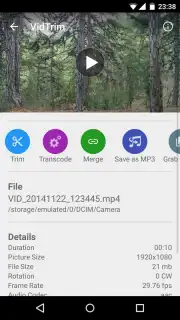
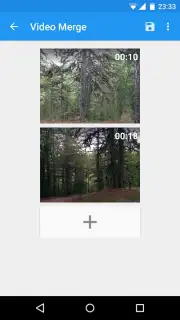
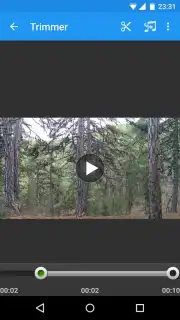
- Precision Cutting & Seamless Merging: The cornerstone features allow you to surgically remove unwanted segments from any video or seamlessly combine multiple clips into a single, cohesive movie. Create highlights, remove mistakes, or compile footage with frame-accurate control.
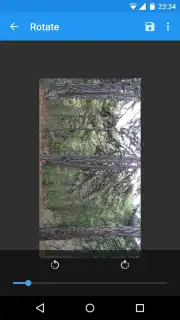
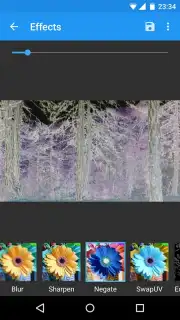
- Dynamic Visual Adjustments: Instantly correct orientation or add creative flair by rotating videos to any angle and applying a variety of visual filter effects. These tools let you quickly stylize your content, similar to popular social media filters, without complicated software.
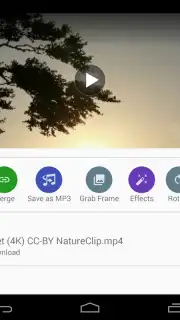
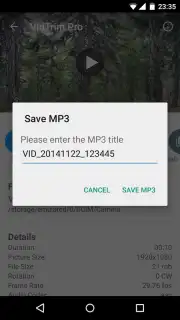
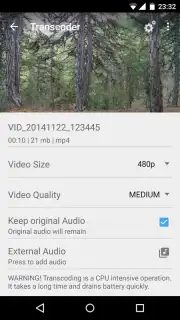
- Smart File Management & Conversion: Organize your media library directly within the app by renaming files for clarity. Furthermore, extract audio from any video and convert it to MP3 format, enabling you to save soundtracks, dialogues, or lectures for playback on any music player or device.
Optimized for Performance and Ease of Use
This app proves that powerful editing doesn't require a steep learning curve or excessive device storage. It's engineered for efficiency, providing a substantial feature set while maintaining a lightweight footprint and a logical workflow that users of all skill levels can navigate confidently.
- Trim, cut, and merge videos precisely.
- Apply rotation and filter effects instantly.
- Convert video files to MP3 audio.
We suggest trying VidTrim - Video Editor to experience a no-compromise approach to mobile video management. It’s the ideal tool for quickly preparing clips for social media, organizing personal memories, or creating custom audio tracks from your video library.
Download the VidTrim - Video Editor mobile app now and streamline your creative process.
Internet required. IAP available.
Information
| Version | 2.6.1 |
| Developer | Goseet |
| Requirements | Android Android + 5.0+ |
| Updated | 17.03.2026 |
| Size | 35.45 MB |
| Package | com.goseet.VidTrim |
| Signature | e61c1f39b4ec6d6aaeafb077ad659bbb |
| Architecture | armeabi-v7a, x86, arm64-v8a, x86_64 |


