

VirtualBox Manager screenshots (8)
Description VirtualBox Manager
Managing Virtual Machines on Android Presents a Significant Challenge
Directly controlling a desktop-grade virtualization platform from a mobile device is typically an impractical task, requiring complex workarounds and network configurations. This creates a barrier for developers, system administrators, or enthusiasts who need to monitor or manage virtual environments while away from their primary workstation. The core problem is the lack of a dedicated, streamlined interface that translates powerful backend functionality into a mobile-optimized experience.
VirtualBox Manager Provides Direct Mobile Control
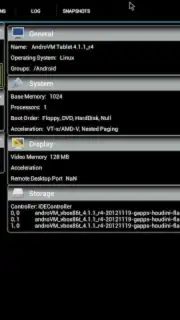
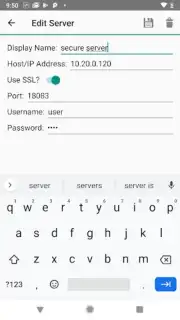
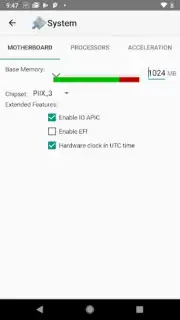
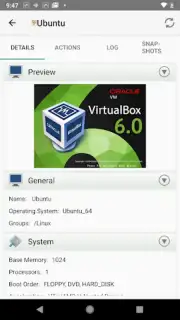
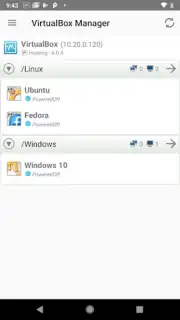
This application serves as a dedicated management client for Oracle VM VirtualBox installations running on a remote host. It establishes a secure connection to the VirtualBox web service, allowing for comprehensive oversight and control of virtual machines directly from an Android device. The interface is structured to provide clear status overviews and essential management functions without attempting to replicate the full desktop GUI, focusing instead on operational efficiency for common tasks. Users can view detailed specifications for each VM, including OS type, memory allocation, and storage details, before initiating any actions.
Core Functionality for Remote Administration
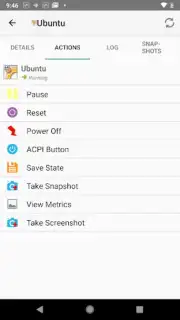
The toolset is designed for practical remote administration rather than full desktop emulation. Primary functions include the ability to power VMs on or off, issue reset commands, and save machine states directly from the mobile interface. For ongoing work, it provides access to the console output, enabling users to monitor boot processes and system logs in real-time. The app also facilitates basic configuration adjustments and snapshot management, allowing for the creation, restoration, and deletion of saved states to revert machines to previous points in time.
Key Advantages in Usability and Performance
- Streamlined Mobile Interface: Presents complex VM data and controls through a clean, responsive layout optimized for touch interaction and smaller screens.
- Secure Remote Connectivity: Utilizes the standard VirtualBox web service API for a secure, authenticated connection to your host machine over the network.
- Efficient Resource Overview: Delivers a quick-glance dashboard showing the status, resource consumption, and details of all registered virtual machines.
We suggest trying VirtualBox Manager if you require reliable mobile access to your virtualized environments for monitoring or essential control tasks.
Internet required. IAP available.
Information
| Version | 6.0.5 |
| Developer | Mark Kedzierski |
| Requirements | Android Android + 4.4+ |
| Updated | 17.03.2026 |
| Size | 3.39 MB |
| Package | com.kedzie.vbox |
| Signature | 254d8d50d49b310d9d454e38c969a9fa |
| Architecture | universal |


