


VivaCut screenshots (8)
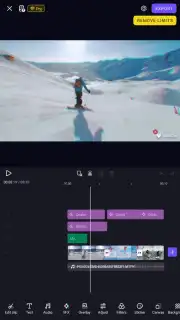

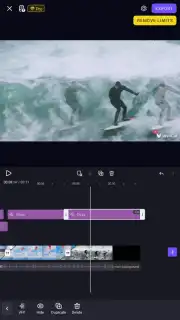

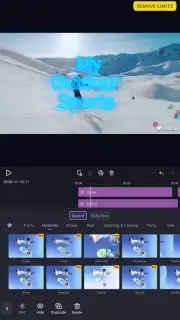
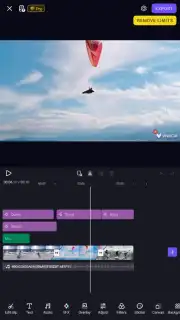

Description VivaCut
A professional-grade video editor for Android that operates with desktop-level precision on a mobile device.
VivaCut is a comprehensive video editing application for Android that transforms smartphones and tablets into portable production studios. It is engineered specifically for creating social media-ready content, enabling users to produce polished audio-visual projects with minimal time investment. The core proposition is efficiency: complex edits, including multi-layer compositions, can be finalized and exported in a matter of minutes, not hours. This makes it a practical tool for both spontaneous content creation and planned professional work.
Interface and Workflow Design
The user interface is structured to accommodate all skill levels. A linear, timeline-based editor sits at the bottom of the screen, displaying all imported video clips, images, and audio tracks. A large, real-time preview window occupies the top portion, showing immediate results of any adjustment. While the app includes a library of tutorial materials for advanced functions, the primary layout is intentionally intuitive, reducing the learning curve for basic editing tasks like trimming, splitting, and arranging clips. This design philosophy allows a novice to assemble and publish a short-form video quickly, while providing the necessary depth for experienced editors to execute precise technical maneuvers.
Core Editing Toolkit and Asset Library
The application provides an extensive library of dynamic assets and professional editing controls. Users have access to dozens of visual filters, color grading LUTs, animated transitions, motion-driven text templates, stylized stickers, and integrated GIF support. A key feature is the community-driven template system, where users can publish and download pre-configured project files. These templates are complex combinations of specific effects, timing, and layer arrangements, allowing for the rapid replication of popular video styles. Beyond aesthetics, VivaCut includes functional tools for curve speed adjustment for slow-motion or time-lapse effects, keyframe animation for precise movement of elements, and chroma key (green screen) functionality for advanced compositing.
Export Specifications and Platform Optimization
The final export process is highly configurable, with settings tailored for specific social platforms. Users can select from a range of default resolution presets, from 720p and 1080p up to 4K for standard YouTube uploads. Crucially, the app offers dedicated export profiles optimized for vertical and square formats required by platforms like Instagram Reels, Stories, and TikTok, ensuring content fits native aspect ratios without manual cropping. All projects can be saved directly to the device's local gallery. The free version supports exports with a watermark, while the Pro subscription enables watermark-free saving at the highest available quality.
Subscription Model and Performance
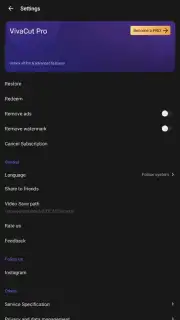
VivaCut operates on a freemium model. The base application is free to use with core editing functions accessible, but it is supported by advertisements and limits access to the full library of premium filters, effects, and assets. The Pro version, available via subscription, removes all advertising, unlocks every advanced feature and asset, and provides priority access to new tools. For content creators who edit frequently, the Pro subscription is a functional necessity, transforming the app from a basic editor into an unbounded production suite. The app requires an internet connection for initial asset downloads, template access, and subscription management.
- Professional multi-track timeline editor
- Chroma key and keyframe animation tools
- Vast library of filters and effects
- Platform-specific export profiles
Do not compromise on the quality of your mobile content. Download VivaCut Pro Video Editor now and finalize your professional-grade edits today. Install the app immediately to access every advanced feature.
Internet required. IAP available.
Information
| Version | 899.9999.999 |
| Developer | VivaCut professional video edi |
| Requirements | Android Android 4.4+ |
| Updated | 02.09.2026 |
| Size | 9.40 MB |
| Package | com.videoeditorpro.android |
| Signature | 61:ED:37:7E:85:D3:86:A8:DF:EE:6B:86:4B:D8:5B:0B:FA:A5:AF:81 |


