


VLC screenshots (17)





Description VLC
Struggling with a media player that can't handle your video collection?
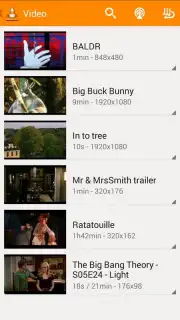
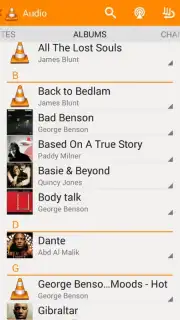
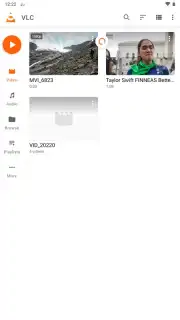
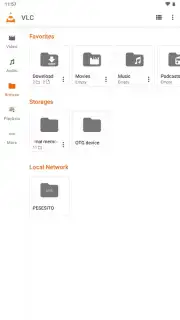
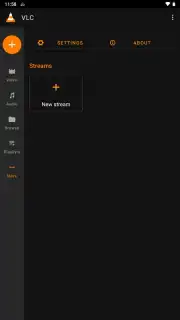
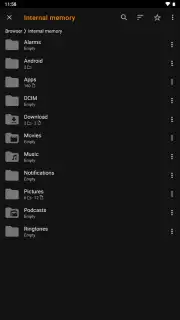
Finding a reliable Android media player that works with every file type, offers granular control, and doesn't bombard you with ads is a common challenge. VLC for Android, developed by VideoLabs, directly addresses this with its open-source architecture and comprehensive codec library. It functions as a universal playback solution, eliminating the guesswork of compatibility for videos, music, and audio files stored locally on your device. The application organizes your media automatically upon launch, sorting content into distinct video and audio libraries, while also providing a built-in file browser for direct folder access and playback.
Core functionality and user-controlled playback environment
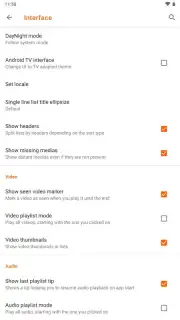
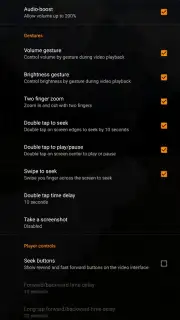
The player provides extensive environmental and playback controls designed for practical use. Interface personalization includes selecting a permanent light or dark theme, or setting the app to automatically follow your system-wide theme settings. During playback, on-screen gestures offer immediate adjustment: a vertical swipe on the left side of the screen controls brightness, while the same gesture on the right side adjusts volume. A double-tap on either side of the screen jumps the playback forward or backward by 10 seconds, and a horizontal swipe along the bottom seek bar allows for precise scrubbing through the timeline.
Advanced features for specialized viewing and listening scenarios
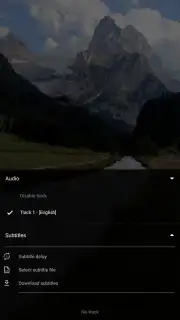
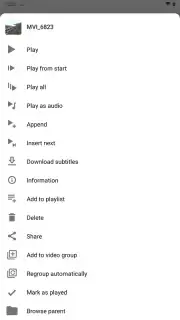
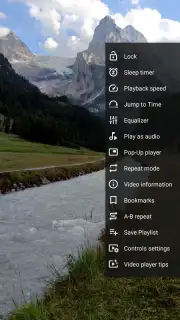
VLC includes specialized modes that extend functionality beyond standard playback. The audio-only mode allows music or podcast audio to continue playing with the screen turned off to conserve battery. Picture-in-Picture (PiP) mode creates a persistent, resizable video window that floats above other applications, enabling multitasking. Playback speed control lets users accelerate or slow down video and audio content. For subtitle and audio track management, the app supports embedded streams and can search online databases by media filename to find and download matching subtitle files directly.
Technical optimization and system-level configuration
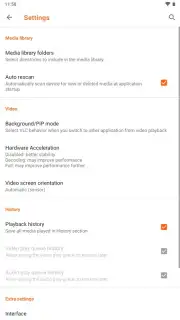
The app offers a suite of configurable advanced settings for performance tuning. Hardware acceleration can be enabled to offload video decoding to the device's GPU, significantly reducing battery consumption during playback. This same feature can be disabled to prioritize software decoding for greater stability with problematic or unusual file formats. These granular controls allow users to balance between power efficiency and universal compatibility based on their specific needs and content library.
- Universal Format Support: Plays virtually any video or audio file type without additional codec downloads.
- Gesture-Based Playback Control: Adjust brightness, volume, and seek with intuitive on-screen swipes and taps.
- Background & PiP Modes: Listen to audio with screen off or watch video in a floating window over other apps.
Download the VLC mobile app now—this is an exclusive early access to the latest beta version with enhanced stability and features. Limited offer for users seeking a definitive, ad-free playback solution.
Heads up: you'll need wifi for downloading subtitles and streaming network content. Some cool stuff like cloud integration may be part of extended features.
Information
| Version | 3.7.2 Beta 1 |
| Developer | VideoLabs |
| Requirements | Android Android 4.2+ |
| Updated | 02.09.2026 |
| Size | 47.44 MB |
| Package | org.videolan.vlc |
| Signature | EE:FB:C9:81:42:83:43:BB:DD:FF:F6:B2:3B:6B:D8:71:73:51:41:0C |
| Architecture | arm64-v8a |


