

VMOS Pro screenshots (4)
Description VMOS Pro
Unlock a Second Android Device Inside Your Phone
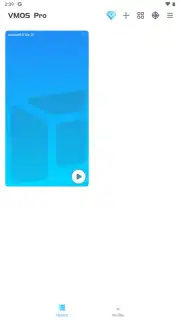
Tired of being limited by your phone's single operating system? What if you could run a completely separate, customizable Android environment right on your current device, without risky root access or voiding your warranty? VMOS Pro makes this a reality. It’s the professional-grade virtual machine that transforms your smartphone or tablet into a dual-OS powerhouse, giving you a sandboxed, secondary Android system to experiment with freely. This isn't just an emulator; it's a full, independent virtual ROM you control.
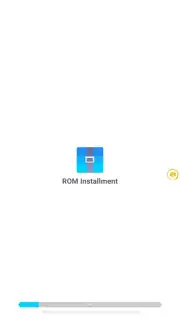
This advanced tool provides a secure, isolated environment perfect for developers, power users, and enthusiasts. You gain deep system-level control to modify and test apps, use multiple accounts simultaneously, or create a pristine space for privacy-sensitive tasks. The virtualized ROM operates independently from your host system, meaning any changes or potential instability are contained within the VM, keeping your primary phone data perfectly safe. It effectively gives you a disposable, tweakable Android device in your pocket.
Core Features & Technical Capabilities
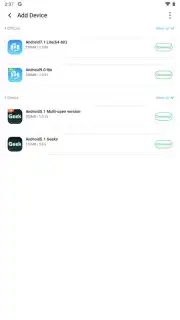
VMOS Pro delivers a suite of professional utilities designed for maximum flexibility and control over your virtual Android environment. The app provides a choice of Android versions for the virtual machine, allowing you to select the optimal base for compatibility testing or specific feature needs.
- Install Xposed Modules & Custom Roms: Gain root-like capabilities within the virtual machine. Install and manage the Xposed framework and its modules to deeply modify system behavior and app functionality without touching your main OS.
- Pre-Integrated Google Mobile Services: The virtual ROM comes with Google Play Services and the Play Store pre-installed, ensuring full app compatibility and seamless access to the entire Android ecosystem from within the VM.
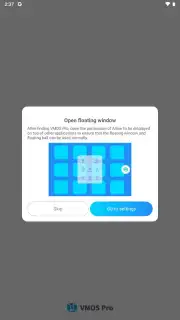
- Floating Window & Multi-App Mode: Run any application in a resizable, movable floating window. Simultaneously launch two or more apps side-by-side within the VM, enabling multitasking like streaming video while chatting.
- Direct Host-to-VM File Transfer: Easily import and export files between your primary device storage and the virtualized ROM using a built-in file manager. Avoid redundant downloads and quickly share APKs, documents, or media.
- Custom Display Resolution Control: Change the virtual device's screen resolution and DPI settings on-demand. This is essential for testing app layouts, optimizing for different screen ratios, or improving compatibility with specific games.
The professional version removes advertisements and incorporates performance enhancements for a smoother experience. You can overlay any app from the VM on top of your main screen, and the system's turbo mode optimizes resource allocation to keep the virtual machine running efficiently.
Your Complete Virtualization Toolkit
- Execute a fully isolated, customizable Android ROM in a secure virtual machine.
- Install and activate the Xposed framework for advanced system modifications.
- Access the Google Play Store and core services within the virtual environment.
- Operate multiple applications concurrently in split-screen or floating windows.
- Transfer files instantly between your host device and the virtual OS storage.
- Adjust virtual device parameters like screen resolution and pixel density.
- Enjoy an ad-free interface with performance boosts for smoother operation.
- Test apps, use multiple accounts, or create a safe space for privacy-sensitive activities.
Download VMOS Pro now! Transform your phone into a dual-system device and break free from standard Android limitations. Get it immediately!
Heads up: you'll need a stable wifi connection for initial setup and downloading within the virtual OS. Some advanced features and specific ROM versions may require additional configuration.
Information
| Version | 3.1.4 |
| Developer | Hunan Science and Technology Information Co., Ltd. |
| Requirements | Android Android + 5.1+ |
| Updated | 17.03.2026 |
| Size | 40.3 MB |
| Package | com.vmos.pro |
| Signature | dead9c09203dd60eb4d1b885b8c13204 |
| Architecture | armeabi-v7a, arm64-v8a |


