


VMtool screenshots (2)

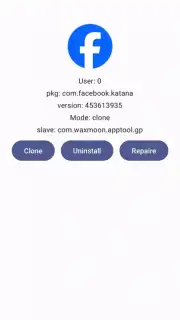
Description VMtool
Need a versatile virtual machine environment directly on your Android device? VMTool transforms your phone into a multi-OS workstation, enabling you to run isolated operating systems for development, testing, or secure browsing without compromising your primary system.
Core Functionality & Tools
VMTool provides a comprehensive virtualization platform, creating hardware-isolated virtual machines on your Android device. It utilizes a custom-built hypervisor to allocate dedicated CPU cores, RAM, and storage partitions, ensuring stable and performant guest OS operation. The interface offers direct control over virtual hardware settings, including network adapter configuration, display resolution adjustment, and peripheral pass-through for connected USB devices. You can manage multiple VM instances simultaneously, switching between different operating environments with a single tap.
Key Features & Capabilities
- Multi-OS Support: Install and run various Linux distributions, including Ubuntu, Debian, and Alpine, from pre-configured images or custom ISOs.
- Hardware Configuration: Allocate specific CPU cores, adjust RAM allocation up to your device's limit, and create virtual disks with expandable storage.
- Network & Integration Tools: Set up bridged or NAT networking, enable shared folders between host and guest OS, and utilize a built-in terminal for direct command-line management.
System Advantages
The application is engineered for low overhead, leveraging your device's native virtualization extensions for near-native performance. The user interface is logically organized into distinct panels for machine management, hardware settings, and performance monitoring, allowing for precise control. It supports state saving and snapshots, letting you freeze a VM's exact state and resume work instantly without lengthy boot sequences.
Download VMTool now and unlock a portable development lab and testing suite in your pocket!
Heads up: you'll need wifi for downloading OS images and some network features. A device with ARMv8-A architecture and CPU virtualization extensions (like KVM) is required for full performance. Some advanced templates or pre-built systems may be extra.
Information
| Version | 1.0.21 |
| Developer | waxmoon |
| Requirements | Android Android + 8.0+ |
| Updated | 17.03.2026 |
| Size | 14.35 MB |
| Package | com.waxmoon.apptool.gp |
| Signature | 57bd82a249f6c681da66023de46a5fe3 |
| Architecture | armeabi-v7a, arm64-v8a |


