

VPlayer Video Player screenshots (7)
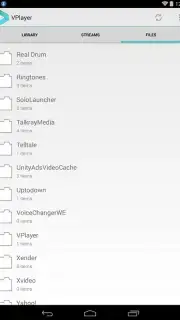

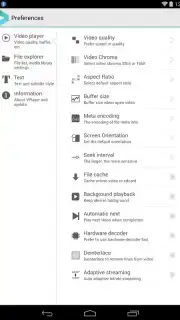
Description VPlayer Video Player
Tired of Your Phone Saying "File Not Supported"?
You find the perfect video, tap play, and... nothing. Or worse, garbled sound and a black screen. It’s frustrating, right? Your phone’s default player just can’t handle the huge variety of video formats out there. What if you had a universal key that unlocked every single video file on your Android device, turning it into a true portable cinema? That’s the promise of VPlayer Video Player. It’s not just another player; it’s your declaration of independence from format errors and limited functionality.
Imagine a video player that feels both incredibly powerful and beautifully simple to use. VPlayer wraps its advanced engine in an elegant, clean interface so you spend zero time fiddling with settings and all your time actually watching. From common files like MP4 and AVI to high-definition MKV, MOV, FLV, and even specialized formats like TS, M2T, and TP, this player handles them all smoothly. But it goes beyond just playing local files. Ever wish you could save YouTube videos to watch later offline, or simply have a better viewing experience right in the app? VPlayer brings YouTube directly into its ecosystem, giving you more control.
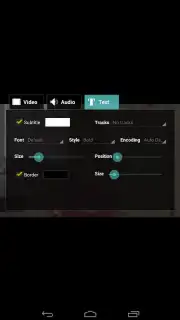
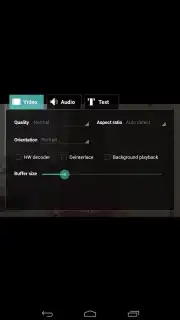
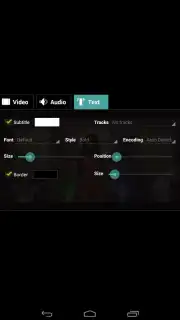
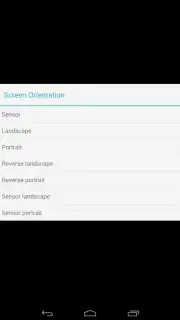
And here’s the best part: you can enjoy all this completely ad-free. The Turbo feature silences all interruptions, creating a pristine, immersive viewing environment where your movie night is never hijacked by a random ad. This focus on a clean experience extends to customization. You’re in full command of your subtitles—download them, attach them to any video, and then tailor them perfectly with adjustments to font size, color, and shadow for ultimate readability. The app even hands you directorial control over the screen itself, allowing you to lock orientation or adjust the aspect ratio on the fly to fit any video perfectly, eliminating those annoying black bars.
VPlayer Video Player transforms your device into a versatile media hub. It’s the powerful, format-agnostic solution you’ve been looking for, though it’s important to know it operates on a premium model. You get a full, unrestricted 7-day trial to experience everything—the flawless playback, the subtitle toolkit, the ad-free environment. This week is your chance to prove to yourself how good a mobile video experience can truly be.
- Universal Format Support: Plays everything from AVI, MKV, and MP4 to FLV, MOV, TS, WMV, and 3GP seamlessly.
- Integrated YouTube Viewer: Watch and manage YouTube content directly within the powerful VPlayer interface.
- Ad-Free Turbo Mode: Enjoy an uninterrupted viewing experience with all advertisements permanently removed.
- Advanced Subtitle Control: Download, attach, and fully customize subtitle font, color, size, and shadow effects.
- Total Display Management: Lock screen orientation and adjust video aspect ratio to fit any content perfectly.
Stop battling unsupported files. Claim your 7-day trial of premium, ad-free playback now and unlock every video.
Heads up: you'll need wifi for streaming features like YouTube. Some cool premium features require a subscription after the trial.
Information
| Version | 3.2.6 |
| Developer | Yixia |
| Requirements | Android Android + 2.3, 2.3.1, 2.3.2+ |
| Updated | 17.03.2026 |
| Size | 6.57 MB |
| Package | me.abitno.vplayer.t |
| Signature | fbcff7cb53394026cb6c1ef24410958e |
| Architecture | armeabi-v7a |


