


Wavelet screenshots (4)
Description Wavelet
Enhance Your Headphone Audio with Precision Equalization
Many headphones, even popular models, do not achieve their full sonic potential with standard device audio processing. Wavelet addresses this by applying advanced, model-specific audio tuning to transform your listening experience. This tool provides granular control over your sound profile, moving beyond basic equalizers to offer corrective and enhancement features for both wired and wireless audio devices.
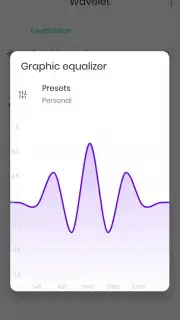
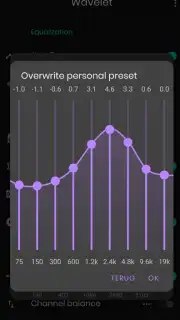
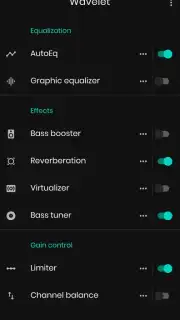
The application functions as a system-wide audio processor, integrating directly with your device's audio output. Its core mechanism utilizes a parametric equalizer alongside automated profile detection to calibrate sound specifically for your headphone model. The interface presents a technical dashboard of audio controls, including a detailed frequency band equalizer, a channel balancer, and dedicated effects modules for bass tuning and resonance control. Operation is supported with or without automatic profile application, allowing for both instant optimization and manual, sample-by-sample adjustment.
Core Technical Features
Wavelet provides a suite of audio DSP (Digital Signal Processing) tools designed for corrective tuning and personal sound preference.
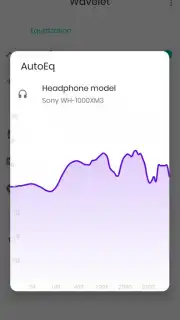
- Apply Auto-EQ Profiles: Instantly loads calibrated frequency correction curves tailored to hundreds of specific headphone models, compensating for known hardware deficiencies to achieve a more balanced, reference-quality sound signature.
- Parametric Equalizer Control: Manually adjust nine separate frequency bands with precision, allowing for surgical reduction of harsh frequencies or boosting of underemphasized ranges to match your personal auditory sensitivity.
- Advanced Bass & Clarity Tools: Utilize a dedicated sub-bass harmonic exciter to enhance low-frequency presence without distortion, alongside a reverberation suppressor to minimize unwanted echoing and cavity resonance in the audio signal.
The processing includes a limiter to prevent digital clipping and a pre-amplitude control to manage overall gain staging. For users seeking maximum processing headroom, an optional performance mode unlocks higher fidelity processing algorithms. Consider downloading Wavelet from your app store to technically evaluate and improve the output of your current audio hardware.
Download the Wavelet mobile app now.
Disclaimer: This application requires an active internet connection for initial auto-EQ profile downloads and potential updates. Some advanced features may be subject to in-app purchases. The app processes system-wide audio, which may increase battery usage. Use of high-volume levels can pose a risk to hearing. User discretion is advised regarding data usage and age-appropriate content from other audio sources.
Information
| Version | 25.12 |
| Developer | pittvandewitt |
| Requirements | Android Android + 9+ |
| Updated | 17.03.2026 |
| Size | 4.72 MB |
| Package | com.pittvandewitt.wavelet |
| Signature | 5bd0d4fa12506930d6fe5120abcdcfbe |
| Architecture | armeabi-v7a, x86, arm64-v8a, x86_64 |


