

WD TV Remote screenshots (5)
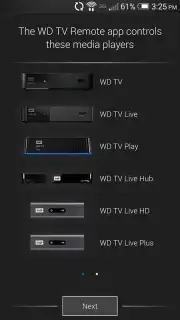
Description WD TV Remote
Transform Your Smartphone into a Dedicated WD TV Command Center
The WD TV Remote app redefines physical media player interaction by converting your Android smartphone or tablet into a sophisticated wireless touchpad and keyboard. This utility is engineered specifically for direct control over WD TV Live Hub, WD TV Live, and WD TV Play media players, establishing a seamless control layer within your home network. It addresses the core limitations of standard infrared remotes by introducing gesture-based navigation and text input, effectively bridging the gap between mobile convenience and home entertainment system functionality.
Core Functionality and Operational Analysis
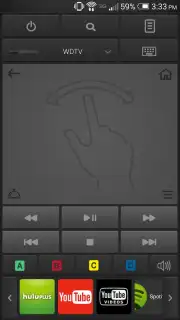
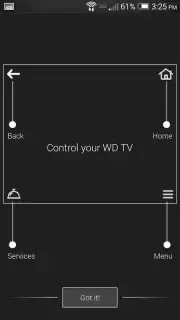
The application operates over your local Wi-Fi network, requiring both the Android device and the WD TV player to be connected to the same network. This connection protocol eliminates line-of-sight restrictions, allowing control from any room. The primary interface replicates the standard remote layout with soft-touch buttons for menu navigation, playback, and volume, while introducing a dynamic touchpad area for cursor-like control. A significant functional upgrade is the integrated smartphone keyboard, which activates for any on-screen text field on the WD TV, making search queries and credential entry a practical task rather than a tedious chore.
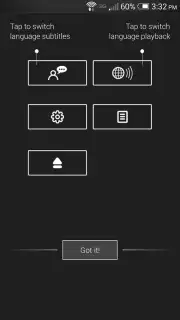
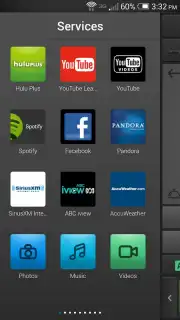
Beyond basic emulation, the software incorporates a multi-touch gesture panel. Users can execute commands through swipes and taps, potentially streamlining menu browsing. The application also supports one-touch launching of configured online video services directly from the app interface. For group settings, the system allows multiple Android devices to pair with a single WD TV player, enabling shared control during media selection without requiring physical hand-off of a remote. It is critical to note that compatibility is version-dependent: the Android device must run OS 4.0 or later, and the WD TV player must have the latest firmware installed, with specific minimums like version 1.06.42 for WD TV Live Plus.
Detailed Feature Breakdown
- Wireless Touchpad & Keyboard: Utilizes your device's screen as a responsive touchpad and full keyboard for effortless navigation and text input.
- Network-Based Control: Operates over Wi-Fi, providing reliable control from anywhere within your home network without line-of-sight.
- One-Touch Service Launch: Provides direct shortcuts to launch supported streaming services like Netflix or YouTube from the app interface.
- Multi-Device Pairing Support: Allows several Android devices to connect to one WD TV player for shared, collaborative media management.
- Gesture-Enhanced Navigation: Implements swipe and tap gestures on a dedicated panel for potentially faster menu and list scrolling.
Download the WD TV Remote app now and permanently upgrade your media player's control scheme. Install it immediately to replace your outdated remote.
Disclaimer: This application requires a stable internet connection for initial setup and network-based control. It is designed for use with specific WD TV media player models and may require firmware updates. Please ensure your devices meet the stated system requirements.
Information
| Version | 2.0.1 |
| Developer | Western Digital Technologies, |
| Requirements | Android Android + 4.0, 4.0.1, 4.0.2+ |
| Updated | 17.03.2026 |
| Size | 17.77 MB |
| Package | com.wdc.wdremote |
| Signature | 6132de44583b2962de50683387bcb676 |
| Architecture | armeabi |


