

WeLine screenshots (7)

Description WeLine
Tired of Cables and Slow File Transfers?
Imagine needing to get a video from your phone to your laptop right now. You scramble for a cable, or you start an upload that seems to take forever. What if you could skip all that friction entirely? What if you could access every photo, song, and document on your Android directly from your computer in mere seconds, without any physical connection? That’s the reality WeLine builds for you. This isn't just another file-sharing tool; it's your instant, wireless bridge between your Android device and any computer, designed to make moving your digital life feel effortless and, frankly, shockingly fast.
Your Phone and Computer, Instantly in Sync
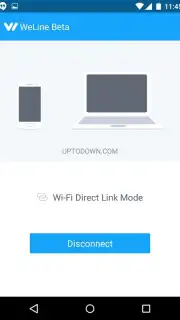
WeLine redefines simplicity. The process is so intuitive it feels like magic. You simply open a web browser on your computer, visit the WeLine website, and scan the on-screen QR code with your Android device. Within moments, a secure, high-speed connection is established. Suddenly, your computer’s browser becomes a powerful window into everything stored on your phone. You’re no longer dealing with fragmented clouds or slow Bluetooth—you have direct, real-time access. The beauty is in the complete freedom it grants you; both devices only need an internet connection. They don’t have to be on the same Wi-Fi network, liberating you to transfer files anywhere, from your home office to a coffee shop.
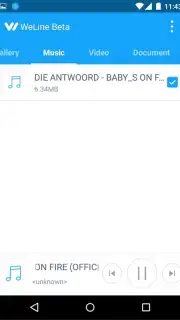
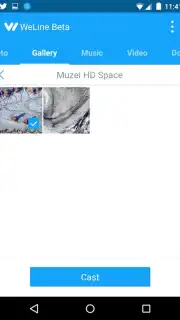
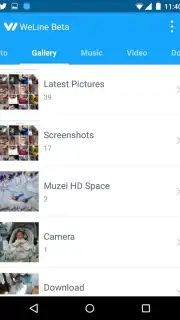
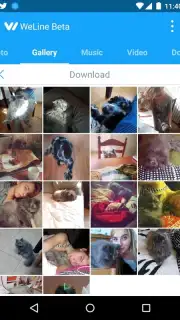
The experience is streamlined and focused, free from the clutter of ads, allowing you to concentrate on what matters: your content. Beyond simple transfers, WeLine unlocks a suite of convenient functionalities. You can browse your entire photo and video library and download files individually or in batches directly to your computer’s hard drive. But it goes further—you can stream music and videos directly from your phone to your computer’s speakers and screen, using your Android device as a handy remote control to play, pause, or skip tracks without ever touching your laptop.
Why Your Digital Routine Needs WeLine
- Blazing-Fast Turbo Transfers: Experience file transfer speeds that genuinely surprise you. WeLine is engineered for performance, moving your photos, videos, and large documents almost instantly, saving you precious time.
- Universal Web Access: Connect to any computer—Windows, Mac, or Linux. No software to install on the PC side. Just a modern web browser is your gateway.
- Truly Wireless Freedom: Your phone and computer only need independent internet access. Different Wi-Fi networks or even using mobile data? No problem. The connection just works.
- Full Media Control & Playback: Don’t just transfer media, experience it. Play your phone’s music through your computer’s superior speakers or watch videos on a bigger screen, all while controlling playback remotely from your phone.
- Clean, Ad-Free Interface: Enjoy a smooth, uninterrupted workflow. The design is minimal and intuitive, putting your files and features front and center without distractions.
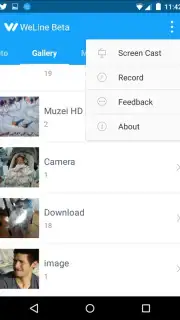
- Direct File Management: Browse, select, and download files from your Android to your computer as easily as if they were on a USB drive plugged directly into your PC.
This is more than an app; it’s an upgrade to your daily tech fluency. The feeling of seamless, effortless control between your devices is something you’ll quickly wonder how you ever lived without. For a limited time, new users can experience the full power of WeLine with exclusive early access. This streamlined, high-speed tool is transforming how people connect their devices—don’t let your workflow get left behind.
Download the WeLine mobile app now and cut the cord for good. Your future self, effortlessly transferring that huge video file in seconds, will thank you.
Disclaimer: The WeLine app requires an internet connection on both your Android device and computer to function. This product may contain in-app purchases. Please be aware of any data charges from your internet service provider when using the app. The app is intended for a general audience; parental guidance is advised. User data is handled according to the developer's privacy policy.
Information
| Version | 0.9.8 |
| Developer | Anmobi |
| Requirements | Android Android + 4.0, 4.0.1, 4.0.2+ |
| Updated | 17.03.2026 |
| Size | 3.85 MB |
| Package | cc.weline |
| Signature | 9bac408f80cc7728f620016f00c43842 |


