

Wi-Fi GO! Remote screenshots (7)
Description Wi-Fi GO! Remote
A Dedicated Remote Control Protocol Transforms Your Android Device into a PC Command Center
Wi-Fi GO! Remote establishes a direct, low-latency control channel between an Android smartphone or tablet and a compatible ASUS desktop system. This application bypasses generic remote desktop solutions by implementing a hardware-aware protocol designed for specific ASUS motherboards with Wi-Fi GO! functionality. The core proposition is the conversion of a mobile device into a multi-tool for computer interaction, focusing on media sharing, input simulation, and system control over a local Wi-Fi network. The absence of advertising and the integration of a proprietary Turbo mode are noted as foundational architectural choices aimed at maintaining connection stability and reducing interface latency. This is not a cloud-dependent service but a local network solution that prioritizes direct device-to-device communication.
Technical Integration and Core Control Mechanisms
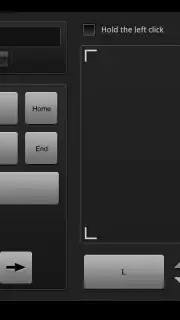
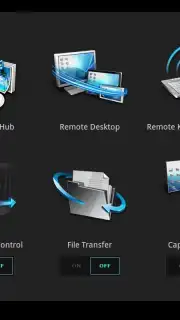
The application requires the Wi-Fi GO! software suite to be installed on the host PC, creating a dedicated server environment for the mobile client to connect to. This setup enables a suite of specific control features that operate independently of standard operating system remote access tools. The Remote Desktop function renders the PC's display on the mobile device, translating touch gestures into cursor movements and clicks with configurable sensitivity settings. Concurrently, the Remote Keyboard and Mouse module transforms the mobile screen into a tactile input surface, supporting both standard typing and multi-touch gestures for complex mouse operations like right-click and drag-and-drop.
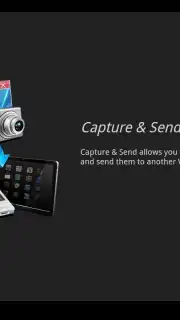
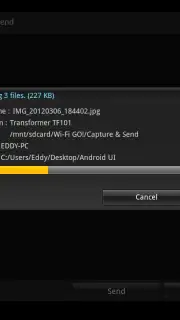
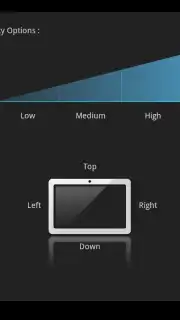
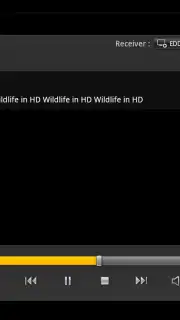
Media management is handled through integrated DLNA (Digital Living Network Alliance) standards, allowing the mobile device to function as both a controller and a playback source for media libraries stored on the PC or accessible on the local network. The Smart Motion Control feature utilizes the mobile device's inertial sensors, mapping specific physical gestures—such as tilts or shakes—to predefined system commands like media play/pause or presentation slide advancement. For file management, the application provides a dedicated transfer interface that facilitates wireless file movement between devices, supporting batch operations and providing transfer status notifications.
Functional Breakdown of Remote Operations
- Remote Desktop Access: Streams the PC desktop interface directly to the mobile device for full visual control and interaction.
- Virtual Input Simulation: Provides a fully functional on-screen keyboard and precision touchpad for cursor control.
- DLNA Media Server Control: Browses, streams, and controls playback of audio and video files from networked DLNA-compliant devices.
- Gesture-Based System Command: Executes PC commands through predefined physical gestures detected by the mobile device's motion sensors.
- Local Network File Transfer: Enables direct wireless file and screenshot transfers between the connected PC and Android device.
The utility is explicitly designed for users within the same network segment as their host computer, emphasizing speed and reliability for local tasks over internet-based remote access. Its functionality is contingent upon specific hardware compatibility, primarily with ASUS motherboards featuring the Wi-Fi GO! technology suite.
Download the Wi-Fi GO! Remote mobile app now to deploy your Android device as a dedicated hardware control peripheral. Install it immediately to begin managing your compatible ASUS system through a direct wireless interface.
Disclaimer: This application requires a local Wi-Fi network connection and compatible ASUS PC hardware with the Wi-Fi GO! software platform installed. Functionality is limited to supported systems. Please check official ASUS compatibility lists prior to installation.
Information
| Version | V1.1.25 |
| Developer | ASUSTeK COMPUTER INC. |
| Requirements | Android Android + 10+ |
| Updated | 17.03.2026 |
| Size | 10.71 MB |
| Package | com.asus.wifi.go |
| Signature | 9aacc278ec3d2c2cc88b7ca746db43e1 |
| Architecture | armeabi, armeabi-v7a |


