

WiFi Analytics screenshots (5)
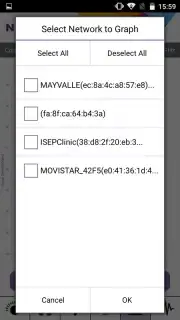
Description WiFi Analytics
A Methodical Walk Through Your Walls
Imagine moving through your home, not as its occupant, but as a diagnostician for your invisible wireless network. Each room tells a different story of signal strength, interference, and potential. NETGEAR WiFi Analytics transforms this diagnostic process from a guessing game into a precise, data-driven survey. It provides the empirical evidence needed to understand why a video call stutters in the kitchen or a file download crawls in the bedroom, turning anecdotal frustration into actionable insight.
Core Analytical Functions
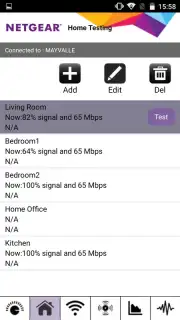
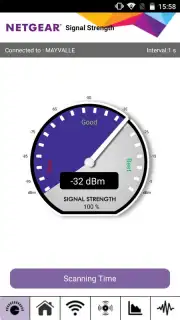
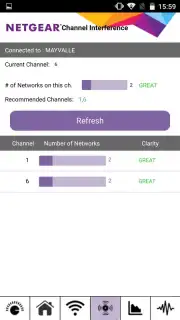
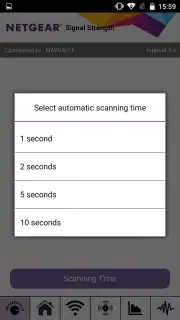
The application operates on a straightforward principle: measure, analyze, and recommend. The primary tool is a manual signal strength test. You initiate a test and physically move through your living space; the app continuously logs the received signal strength indicator (RSSI) at each point. This data is plotted and saved, creating a visual heatmap of your Wi-Fi coverage that clearly identifies dead zones and areas of excellent reception. Beyond simple signal mapping, the app performs a sophisticated channel analysis. It scans the 2.4 GHz and 5 GHz bands to show you all nearby networks and the specific wireless channels they occupy. This reveals channel congestion—if your network is on a crowded channel, the app will recommend less saturated alternatives to manually select in your router's settings, a change that can significantly reduce interference and improve performance.
The utility is designed for a hands-on user who is comfortable with basic network concepts. It presents raw, unfiltered data about your network environment, empowering you to make informed configuration decisions rather than making automatic changes. The interface is functional and focused on metrics, displaying real-time signal levels, network identifiers, security types, and channel widths.
- Manual Signal Mapping: Walk through your property while logging signal strength to build a precise coverage map and identify weak spots.
- Wireless Channel Analyzer: Scan and display all neighboring Wi-Fi networks to visually identify the most congested and clearest channels for your router.
- Network Detail Inspector: View essential data for every detected network, including SSID, MAC address, security protocol, and signal strength.
Limited Offer: Diagnose Your Network Today
For anyone experiencing inconsistent home Wi-Fi, this tool offers immediate clarity. Stop wondering about your connection and start measuring it. Exclusive access to this level of network analytics is available now. Download the NETGEAR WiFi Analytics app today to perform your first diagnostic walkthrough and gain control over your wireless environment.
Disclaimer: This application requires an active internet connection and a Wi-Fi network to function. It is a diagnostic tool and does not perform automatic router configuration. All router setting changes must be made manually by the user. Data rates may apply.
Information
| Version | 1.0.19 |
| Developer | NETGEAR Inc. |
| Requirements | Android Android + 8+ |
| Updated | 17.03.2026 |
| Size | 696.09 KB |
| Package | com.netgear.WiFiAnalytics |
| Signature | 218e96e7e7f9053b4c026f431c7d1724 |


