


Win 11 Computer Launcher screenshots (13)
Description Win 11 Computer Launcher
Tired of your phone feeling like a toy when you need a tool? What if you could unlock a true desktop-grade powerhouse right from your Android home screen, blending seamless productivity with sleek, professional style?
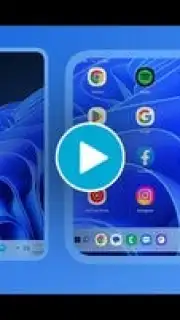
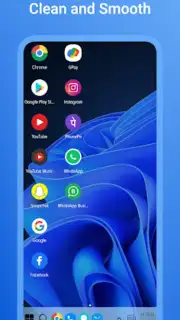
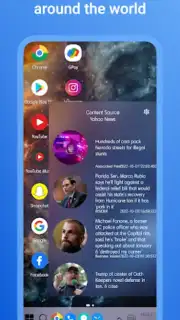
Win 11 Computer Launcher transforms your mobile device into a miniature workstation, mirroring the precise, efficient layout of a Windows 11 desktop. This isn't just a visual skin; it's a complete interface overhaul designed for those who think and work efficiently. You'll experience the satisfaction of a clean, organized start menu, a familiar taskbar for quick app switching, and a desktop area for your most vital widgets and shortcuts. The transition from your computer to your phone becomes effortless, eliminating the mental friction of switching between two completely different systems. Your device doesn't just look professional—it operates with a new level of intent and speed.
A Deep Dive Into Your New Desktop Experience
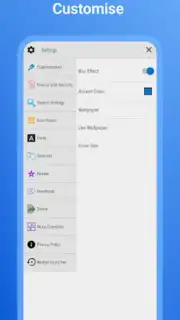
Imagine swiping up to a start menu filled with all your applications, perfectly categorized, just like on your PC. Picture dragging and dropping icons on a clean desktop background, organizing your digital workspace exactly how your mind works. This launcher delivers that precise feeling, wrapping the raw power of Android in the sophisticated, user-proven design of Windows 11. You gain intuitive control over every aspect of your phone's interface, from system sounds to icon packs, creating an environment that’s uniquely yours and intensely productive. It’s about minimizing clutter and maximizing your output, whether you’re managing tasks, browsing files, or jumping between communication apps.
Why Your Phone Needs This Transformation
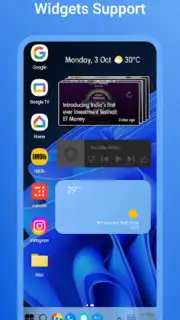
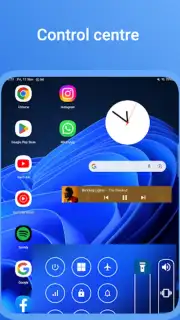
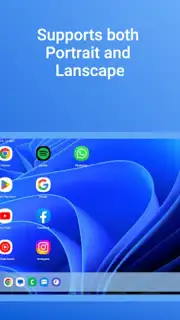
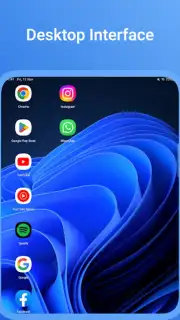
- Authentic Desktop Interface: Navigate a pixel-perfect Windows 11 layout with a functional start menu, resizable widgets, and a quick-access taskbar on your phone.
- Turbocharged Performance & No Ads: Enjoy a fluid, interruption-free experience with enhanced responsiveness and zero intrusive advertisements for pure focus.
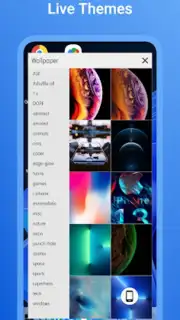
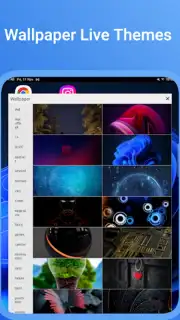
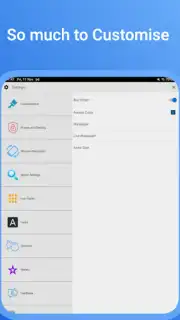
- Deep Customization Suite: Personalize with genuine Win 11-style wallpapers, icon sets, and control over grid sizes to match your aesthetic perfectly.
- Enhanced Privacy & Security: Lock sensitive applications behind a secure PIN or pattern, keeping your private data safe from unauthorized access.
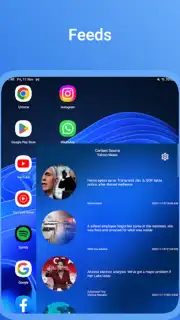
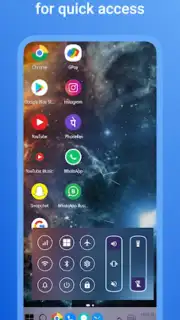
- Streamlined Workflow Efficiency: Access settings, notifications, and apps from centralized, PC-like menus, saving you time and countless taps every day.
Stop compromising on mobile productivity. Step into a workspace that respects your time and elevates your device's potential. This is the upgrade your smartphone has been waiting for.
Download Win 11 Computer Launcher now and command your mobile desktop today!
Disclaimer: This application requires an internet connection for initial setup and certain features. It may offer in-app purchases. Please be aware of data usage charges from your provider. The launcher requires specific device permissions to function correctly, such as accessibility services for app locking and storage access for customization. Use is subject to the developer's terms. Age restrictions may apply.
Information
| Version | 5.5 |
| Developer | Launchers Themes and More - App Mania Soft |
| Requirements | Android Android 7.1+ |
| Updated | 15.09.2026 |
| Size | 13.37 MB |
| Package | appmania.launcher.winlauncher11.free |
| Signature | 77c0bddf8af73c6c7a8fbab654648e8640614233 |
| Architecture | armeabi-v7a |


