


Windows App screenshots (12)
Description Windows App
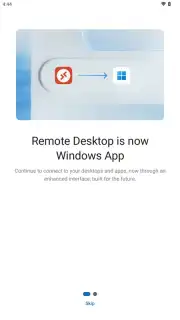
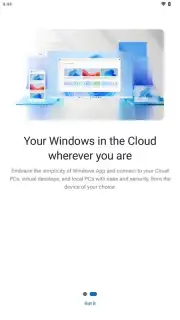
Imagine needing to access your full Windows desktop, with all its specialized software and files, but your only device is an Android phone or tablet. This scenario defines modern remote work, and the Windows App by Microsoft Corporation transforms your mobile device into a secure portal for that exact purpose. It is a dedicated client designed to provide authenticated, remote access to Windows-based computing environments from the Android platform, effectively turning your handheld device into a terminal for powerful cloud and on-premises resources.
Core Remote Desktop Functionality
The Windows App serves as a centralized hub for connecting to various Windows remote desktop and application services. It establishes encrypted sessions to Azure Virtual Desktop, Windows 365 cloud PCs, Microsoft Dev Box, Remote Desktop Services (RDS), and traditional physical remote computers. The application requires organizational work or school credentials for authentication, as it does not support personal Microsoft accounts, ensuring it is used within managed IT environments. Once connected, you interact with a full Windows desktop interface or published remote applications directly on your Android device, supporting smartphones, tablets, Chromebooks, and VR headsets that run Google Play services on Android 11 and above.
Management of Multiple Remote Connections
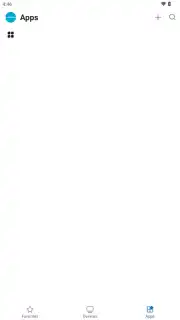
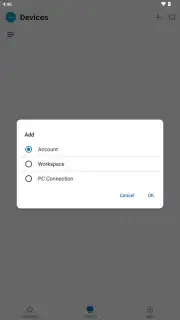
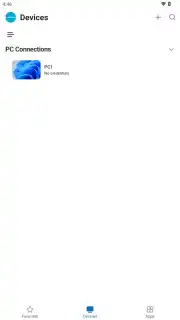
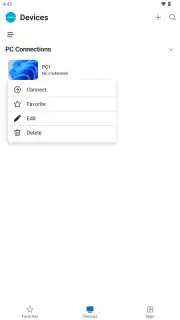
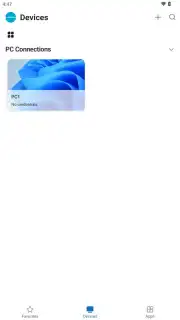
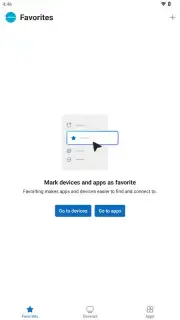
For users managing several resources, the app provides organizational tools to save and categorize connection profiles. You can create and store distinct profiles for different remote desktops, virtual machines, or published applications, eliminating the need to re-enter credentials or server addresses for each session. These destinations can be organized, tagged as favorites for rapid access, and launched with minimal taps. This centralized management is particularly critical for IT professionals, developers, or analysts who regularly switch between multiple servers or cloud-hosted instances across different networks.
Performance and User Experience Controls
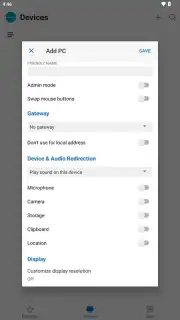
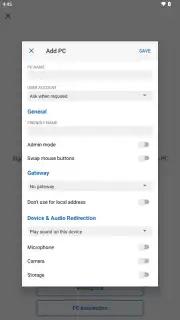
The client software includes several configuration options to optimize the remote session for your specific network conditions and use case. It dynamically manages performance, prioritizing either graphical fluidity or content quality based on the connection. Users can manually adjust session parameters including display resolution, color depth, and remote audio playback settings. Furthermore, the app supports practical productivity features like bidirectional clipboard synchronization and file transfer between the local Android device and the remote Windows system, subject to the policies configured by the server administrator.
Security and Integration
All remote sessions are secured with encryption, protecting the visual output and data in transit from interception. As an official Microsoft application, it integrates with the broader Microsoft security ecosystem and receives regular updates that address vulnerabilities, patch bugs, and introduce new functionality. This commitment to maintenance ensures ongoing compatibility with evolving Windows services and enhances security posture over time.
- Secure remote Windows access
- Manage multiple connection profiles
- Optimize session performance settings
We suggest trying the Windows App if your workflow depends on accessing a powerful Windows environment while away from your primary workstation. Consider downloading this client to maintain productivity from virtually any location.
Download the mobile app now.
Internet required. IAP available.
Information
| Version | 11.0.0.87 |
| Developer | Microsoft Corporation |
| Requirements | Android Android + 9+ |
| Updated | 17.03.2026 |
| Size | 88.26 MB |
| Package | com.microsoft.rdc.androidx |
| Signature | 15f66a413b9f53b12a2f986bf6b80990 |
| Architecture | armeabi-v7a, arm64-v8a, x86_64 |


