


Write screenshots (9)
Description Write
A Professional Tool for Vector-Based Handwriting and Document Annotation
For users seeking a multifunctional digital workspace that moves beyond basic note-taking, Write by Stylus Labs presents a specialized environment for vector drawing and the intricate editing of handwritten documents. This application rethinks the standard approach to digital ink, positioning itself as a utility for serious brainstorming, detailed note organization, and technical sketching. Its core mechanics are built around the manipulation of vector strokes, which allows for a non-destructive and highly flexible editing workflow not commonly found in simpler note-taking apps.
Core Functionality for Precision Editing
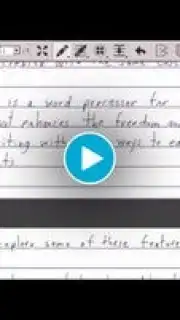
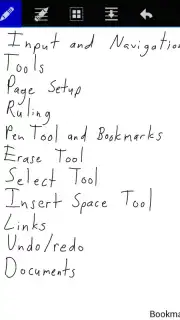
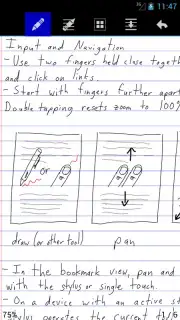
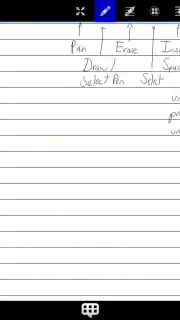
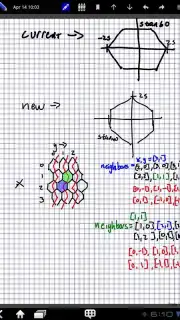
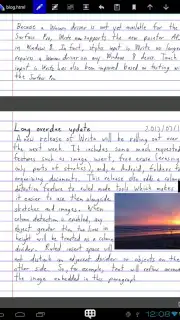
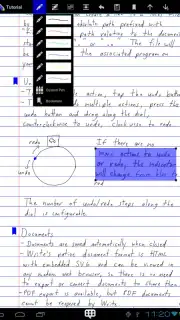
The application’s primary differentiator is its deep toolset for manipulating handwritten content after it has been laid down. Every interaction is engineered to treat ink as a malleable object rather than a static image. Users can perform complex operations such as inserting whitespace directly into a line of text to adjust page layout, or seamlessly move drawn lines and paragraphs to reorganize notes without manual erasure and redrawing. The platform supports the creation of handwritten hyperlinks, enabling users to sketch a link that directs to a bookmark within the document or to an external website, integrating a unique layer of interactive organization. Furthermore, the integration of images into handwritten documents is handled with precision, allowing for a composite canvas that blends freeform ink with imported graphics. An unlimited undo and redo history underpins the entire editing process, ensuring that experimentation carries no permanent risk.
Customization and Workflow Adaptability
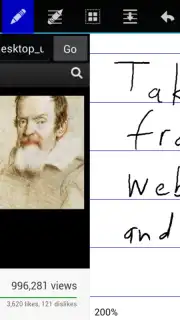
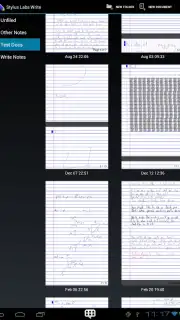
Write provides extensive customization options to adapt the workspace to specific user needs and hardware capabilities. The page setup is fully configurable, allowing adjustments to size, background color, and ruling templates. The application intelligently manages content flow, with page margins that automatically expand as handwritten content approaches the edge. On devices equipped with pressure-sensitive styluses, the drawing engine is highly responsive, translating nuanced pressure into variable stroke width. A split-screen mode incorporates a built-in web browser, facilitating direct note-taking from web pages or video content without leaving the application, which significantly enhances research and multitasking efficiency. Document management is handled through a folder-based system, offering clear organization and rapid access to projects.
Cross-Platform Compatibility and File Management
A significant technical advantage of Write is its broad cross-platform availability. While optimized for Android, the application maintains full functionality on desktop operating systems including Windows, macOS, and Linux, enabling a continuous workflow across devices. Its native document formats, based on HTML and SVG, are designed for universal accessibility and can be rendered in any modern web browser without proprietary software. For sharing and archiving, the application includes a robust PDF export function, preserving the vector quality of handwritten notes and drawings for easy distribution. This combination of advanced feature depth and platform-agnostic file compatibility makes it a viable solution for users embedded in mixed-device ecosystems.
- Advanced Stroke Editing: Insert space, move lines, and edit handwritten text post-creation without traditional erasing.
- Interactive Handwritten Links: Create functional bookmarks and web hyperlinks using your own handwritten annotations.
- Cross-Platform Synchronization: Work seamlessly on Android, Windows, Mac, and Linux with compatible file formats.
We suggest trying Write if your work requires detailed annotation, diagramming, or the flexible editing of handwritten digital documents.
Download the Write mobile app now.
Disclaimer: Application functionality requires an internet connection for certain features and potential synchronization. The app may contain in-app purchases for premium features like Turbo mode. Please check the product description for age ratings and data privacy details, as data usage may apply for cloud services and cross-platform sync.
Information
| Version | 1.9.6 |
| Developer | Stylus Labs |
| Updated | 17.03.2026 |
| Size | 1.76 MB |
| Package | com.styluslabs.write |
| Signature | 117339acbd2f8e148f368d815bfe57ca |
| Architecture | armeabi-v7a |


