


X Launcher screenshots (8)




Description X Launcher
A Practical Review of the X Launcher for Android
For users seeking a fundamental visual overhaul of their Android device without custom ROMs or complex modifications, launcher applications provide a direct pathway. The X Launcher positions itself as a specific tool within this category, with a declared focus on replicating the interface aesthetics and navigation mechanics associated with Apple's iOS 13. This review examines its implementation, from the initial setup mechanics to the specific user interface changes it enacts, to determine its functional utility for users interested in this particular thematic transformation.
Core Functionality and Interface Mechanics
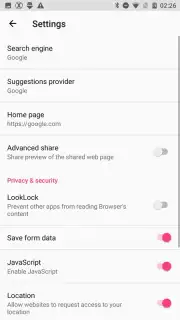
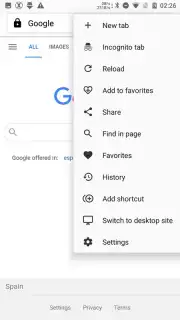
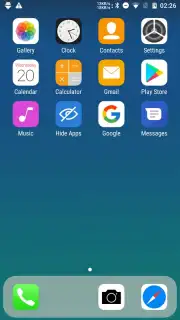
The application operates on a standard principle for third-party Android launchers. Post-installation, it requires explicit selection as the default home application through the system settings, a one-time process that triggers the complete visual transition. The primary alteration is the replacement of the native Android home screen, app drawer, and system widgets with an interface that mimics iOS 13. This includes the signature grid of rounded app icons, the replacement of standard application labels with an iOS-style font, and the substitution of common system app icons—for instance, Google Chrome is visually represented by a Safari icon. Navigation is re-mapped: a downward swipe from the top right screen edge typically activates a Control Center panel for toggles like Wi-Fi, Bluetooth, and screen brightness, while an upward swipe from the bottom is designed to invoke an application library or overview.
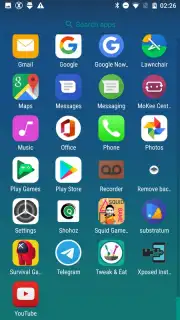
Beyond the static home screen, the launcher attempts to replicate secondary iOS interface elements. Swiping right from the main home screen often reveals a dedicated page or widget providing weather information and climate data, alongside potential app suggestions. The overall design language enforced by the X Launcher is minimalist and grid-based, reducing visual clutter by removing standard Android app drawers in favor of a full-screen icon layout. It is important to note that this is a skin-deep modification; underlying Android applications and system functionalities remain unchanged, operating within the new visual shell.
Key Features of the X Launcher
- iOS 13 Interface Emulation: Transforms core Android navigation into iOS-style gestures, including a swipe-down Control Center and a swipe-up app manager.
- Complete Visual Retheming: Applies rounded icon masks system-wide, changes system font styling, and replaces default app icons with iOS-equivalent imagery.
- Integrated Information Panel: Features a dedicated widget page accessible by swiping left, providing at-a-glance weather data and application shortcuts.
We suggest trying the X Launcher if your goal is a straightforward, surface-level visual conversion of your Android device to an iOS aesthetic without altering core system functionality.
Download mobile app now
Heads up: you'll need wifi for most features. Some cool stuff is extra.
Information
| Version | 3.3.3 |
| Developer | Launcher Developer |
| Requirements | Android Android + 6.0+ |
| Updated | 17.03.2026 |
| Size | 11.11 MB |
| Package | com.ioslauncher.free2 |
| Signature | 2f5ff7c7c9de4d032e2ec9ac9a73f1e0 |
| Architecture | universal |


