


Xbox Family Settings screenshots (7)

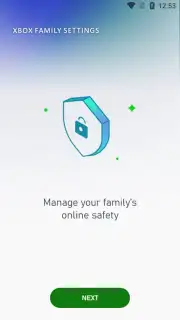

Description Xbox Family Settings
Looking for a straightforward way to manage your child's gaming time and social interactions on Xbox? Xbox Family Settings is the official Microsoft app designed to give you precise control and clear insight into your family's Xbox activity, all from your mobile device.
Core Functionality for Modern Families
This dedicated parental control tool transforms your phone into a powerful dashboard for your family's Xbox ecosystem. It moves beyond simple screen time alerts to provide granular management over gaming sessions, social connections, and content access. You gain the ability to review activity, set enforceable boundaries, and receive important notifications, ensuring a balanced and secure gaming environment. The app syncs seamlessly with your existing Microsoft family group, creating a unified management hub that works in tandem with the console itself.
Detailed Feature Overview
Xbox Family Settings delivers specific tools for proactive oversight. You can establish daily or weekly screen time limits for each child's profile directly from the app, and the system will send a warning notification to the console as the allotted time is nearly used up. The app also centralizes friend request management, allowing you to review and approve or decline incoming requests before they reach your child, giving you visibility into their social circle. Furthermore, you maintain access to detailed activity reports that show exactly which games are being played, for how long, and the total time spent across the Xbox platform.
- Set Enforceable Screen Time Limits: Configure daily or weekly play schedules and time allowances for each child’s profile, with on-console notifications sent as limits approach.
- Manage Social Interactions: Review, approve, or decline incoming friend and communication requests before they reach your child’s Xbox account.
- Monitor Detailed Activity Feeds: Gain insight into specific games played, total session durations, and overall engagement patterns across the family.
We suggest trying Xbox Family Settings to create a healthier gaming balance at home. Consider downloading this official tool to simplify oversight and foster positive digital habits.
Download the Xbox Family Settings mobile app now.
Disclaimer: This app requires an active internet connection and a Microsoft family group with child accounts. Parental controls are managed through an adult Microsoft account. Some features may require specific Xbox console settings or subscriptions. Data usage applies. This app does not contain third-party advertising. Age restrictions for content must be set separately on the child’s Xbox console or via other Microsoft family safety settings.
Information
| Version | 20260110.260110.1 |
| Developer | Microsoft Corporation |
| Requirements | Android Android + 8.0+ |
| Updated | 17.03.2026 |
| Size | 120.63 MB |
| Package | com.microsoft.xboxfamily |
| Signature | 03ec1b519c33e5da5a3a314efb899cc7 |
| Architecture | armeabi-v7a, x86, arm64-v8a, x86_64 |


