


Urdu English Roman Keyboard screenshots (6)
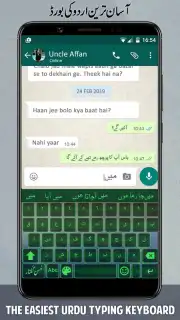
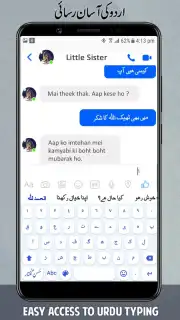
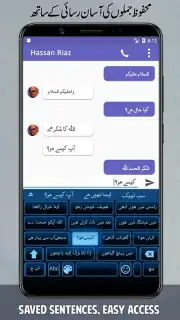
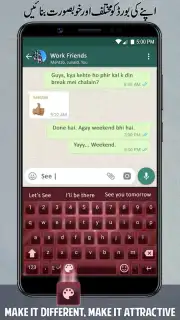
Description Urdu English Roman Keyboard
Tired of Switching Keyboards for Every Message?
You know the struggle. You're crafting a heartfelt message in Urdu for family, then need to quickly type an email in English, and the constant app switching breaks your flow. Your keyboard should adapt to you, not the other way around. This app erases that friction, letting your thoughts flow seamlessly between languages without ever leaving your conversation.
One Keyboard, Two Worlds at Your Fingertips
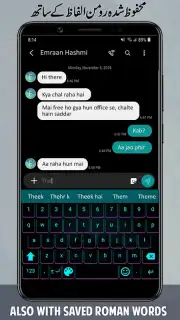
Imagine typing naturally in Roman script (like "aap kaise hain?") and watching it transform into beautiful Urdu script automatically. That's the core magic here. You get a unified typing experience that understands the linguistic blend of your daily life. The keyboard layout is intuitively designed, placing Urdu characters accessed via long-press right alongside your familiar English alphabet. It learns from your writing habits, offering smart predictions and auto-corrections for both languages to speed up your communication. Whether you're posting on social media, chatting on WhatsApp, or writing a formal document, you have the right script instantly.
Why This Becomes Your Go-To Typing Tool
The true advantage lies in the effortless integration. You set it up once, and it simply works across every app on your phone, eliminating the need to copy-paste from translation tools. The design is clean and responsive, ensuring your typing keeps pace with your thoughts. It respects your data, functioning smoothly without demanding unnecessary permissions. For anyone who communicates in a multilingual space, this isn't just a keyboard; it's a bridge that makes expressing yourself in two languages feel perfectly natural.
- Seamless Urdu-English Typing
- Smart Auto-Correction & Predictions
- Works in All Your Apps
- Clean, Fast & Reliable
We suggest trying Urdu English Roman Keyboard to experience truly fluid bilingual communication. Consider downloading it now and feel the difference on your very first message.
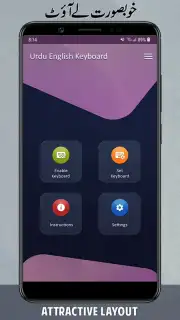
Heads up: you'll need to enable the keyboard in your device settings after install. Some advanced themes or features may be extra. Requires Android 6.0 or above.
Information
| Version | 7.1.3 |
| Developer | Appscourt |
| Requirements | Android Android + 6.0+ |
| Updated | 17.03.2026 |
| Size | 27.08 MB |
| Package | com.appscourt.urdu.english.roman.keyboard.offline |
| Signature | 3b8e6c083b1ab127ce5415b95e4af0bc |
| Architecture | armeabi-v7a, arm64-v8a |


