


Xbox screenshots (7)
Description Xbox
Control Your Xbox Ecosystem From Your Phone
Managing a game library, social connections, and console settings often requires switching between multiple screens and interfaces. The Xbox mobile app consolidates these tasks into a single control panel for your Android device, directly linking your smartphone to your Microsoft gaming console and PC ecosystem. It transforms your phone into a remote management hub, communication tool, and input device, centralizing functions that were previously scattered.
Core Functionality and Remote Management Tools
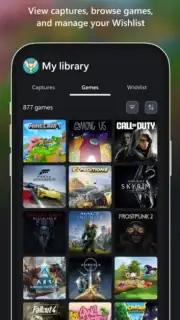
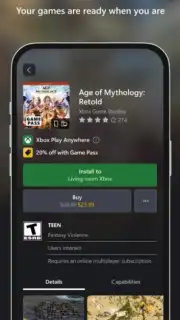
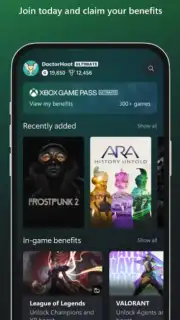
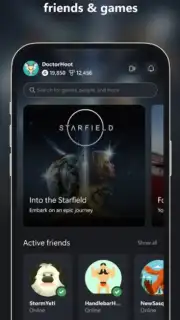
The app provides direct administrative control over your Xbox console and account. You can browse your entire installed game library, purchase new titles from the store, or remotely install and uninstall games to your console to prepare for a play session. It serves as a full interface for your Xbox Game Pass subscription, allowing you to browse the catalog, manage your membership, and install games directly to your console from anywhere. The remote download functionality is particularly useful for adding games to your library when you are away from your system.
Integrated Social and Communication Systems
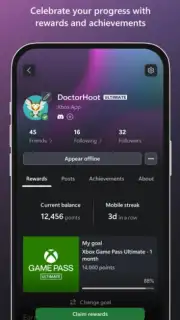
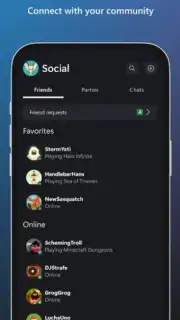
Beyond library management, the app is built for player connectivity. It features a dedicated voice and text chat system that works cross-platform, enabling communication with friends on console or PC. You can create and manage party invites, track friend activity, and monitor your own achievement progress in detail. For content sharing, the app allows you to upload and publish game clips or screenshots from your console to linked social media profiles, including X, Facebook, and Instagram, after connecting these accounts to your Microsoft profile.
Utility Features for Enhanced Interaction
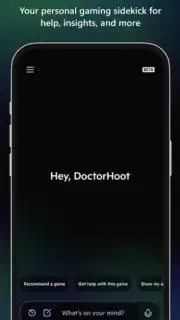
The app addresses specific usability gaps in the console experience. It can function as a virtual keyboard and trackpad for your Xbox, eliminating the tedious process of typing with a controller for messages or web browsing. This input method is activated directly through the app when the console is on the same network. Furthermore, the integrated Copilot feature provides contextual, real-time assistance and troubleshooting guides for in-game challenges or system issues, offering support without needing to leave the gameplay environment.
- Remote game library management
- Cross-platform voice and text chat
- Virtual keyboard and trackpad input
We suggest trying the Xbox app to seamlessly integrate your phone into your gaming routine, offering a level of console control and social connectivity that is difficult to replicate through other means. Consider downloading it to centralize your gaming ecosystem.
Heads up: you'll need wifi for most remote features. Some cool stuff is extra.
Information
| Version | 2603.1.2 |
| Developer | Microsoft Corporation |
| Requirements | Android Android + 8.0+ |
| Updated | 17.03.2026 |
| Size | 85.29 MB |
| Package | com.microsoft.xboxone.smartglass |
| Signature | 03ec1b519c33e5da5a3a314efb899cc7 |
| Architecture | armeabi-v7a |


