


Xodo PDF Reader & Editor screenshots (8)
Description Xodo PDF Reader & Editor
A Professional's Take on Document Workflow Efficiency
In the landscape of digital document management, professionals and students alike often find themselves juggling multiple PDFs, needing to quickly annotate, sign, or extract key pages. The challenge isn't just finding a reader; it's finding a seamless editor that integrates with existing cloud workflows without introducing clutter or complexity. Xodo PDF Reader & Editor, developed by Xodo Technologies Inc., presents itself as a comprehensive solution in the Books & Reference category, moving beyond simple viewing to address the core needs of active document interaction. Its version 10.13.0 iteration refines a toolset designed for precision, focusing on utility over flashy, unnecessary features.
Core Functionality and Analytical Breakdown
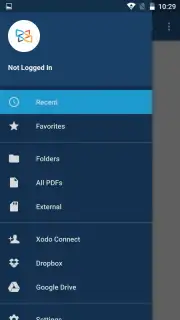
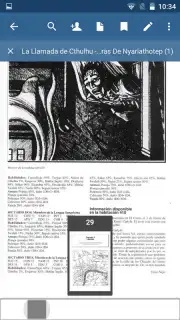
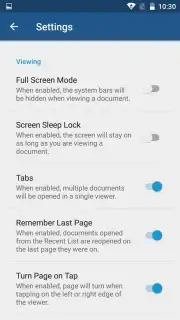
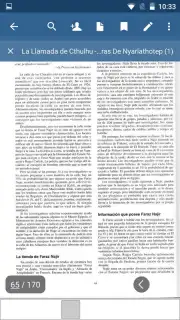
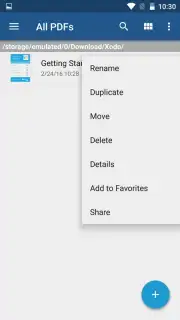
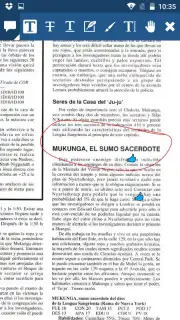
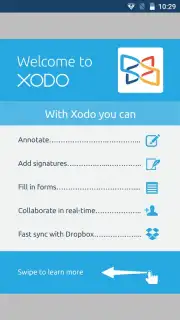
The application operates on a dual-axis premise: robust viewing and proactive editing. The viewer is engineered for productivity, supporting a multi-tab interface that allows for simultaneous reference of several documents, effectively mimicking a desktop workflow on mobile. A one-touch toggle between day and night reading modes reduces eye strain during extended use, while the ability to bookmark specific pages to a Favorites section creates a personalized, quick-access index within lengthy documents. Where Xodo distinguishes itself is in its editing suite. The toolset is granular, offering not just highlight and underline functions, but also freehand drawing, shape insertion like circles and arrows for precise annotation, and a dedicated digital signature tool. Every action is non-destructive and supports undo/redo, allowing for error-free refinement of comments and markups.
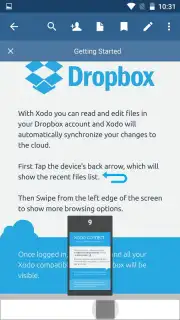
A critical operational advantage is its native cloud synchronization. All annotations, edits, and newly created signatures are automatically synced across devices via integrated services like Google Drive and Dropbox. This transforms the app from a standalone utility into a central hub for document collaboration, ensuring the latest version is always accessible. The absence of advertising within the core user experience, a noted benefit, maintains focus on the task at hand. The optional Turbo feature is positioned to enhance performance for power users dealing with particularly large or complex files.
Key Feature Set for Document Management
- Multi-Tab Viewing & Favorites: Manage several PDFs concurrently in separate tabs and save crucial pages for instant future retrieval, streamlining research and comparison tasks.
- Comprehensive Annotation Toolkit: Directly write, draw, highlight, and add shapes or arrows onto any PDF page, facilitating detailed feedback and document analysis with pixel-level control.
- Cloud Sync & Digital Signing: Automatically save all changes to Google Drive or Dropbox and apply legally-binding signatures to documents from anywhere, closing the loop on remote approval workflows.
Get your professional document workflow advantage now. Download the Xodo PDF Reader & Editor mobile app to start editing and signing with precision today.
Disclaimer: This application requires an internet connection for cloud synchronization features and optional in-app purchases. Data usage may apply when syncing large documents. Users are advised to review the app's privacy policy regarding data handling. This product is intended for general use; please check local regulations regarding the use of digital signatures.
Information
| Version | 11.0.0 |
| Developer | Xodo Technologies Inc. |
| Requirements | Android Android 7.0+ |
| Updated | 02.09.2026 |
| Size | 112.06 MB |
| Package | com.xodo.pdf.reader |
| Signature | AC:50:61:A3:9D:FA:5B:C4:8F:C9:A1:91:2E:15:C1:2E:0C:E8:CD:3F |
| Architecture | x86-64 |


