

Xposed Installer screenshots (6)
Description Xposed Installer
Unlock Your Android's True Potential, One Module at a Time
You know that feeling when your phone is almost perfect, but there's just one little thing you'd change? Maybe you wish you could tweak the design, block a certain permission for an app, or enable a hidden feature. Normally, those deep system-level changes are locked away, reserved for developers or those willing to install complex custom software. What if you could access that power without the usual risks and complications? Xposed Installer bridges that gap, offering a sophisticated framework for modifying your Android system's behavior in real-time. It’s a tool that transforms your device from a mass-produced gadget into a personally tuned instrument, all through a managed, modular system.
A Gateway to Deep System Customization
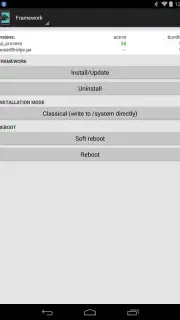
Xposed Installer operates by installing a special framework that runs in the background of your Android operating system. This framework allows small pieces of code, called modules, to hook into the system and alter its functions before they are executed. The changes are applied in memory, meaning they are active immediately and persist through reboots, yet they don't permanently overwrite your system files in the way a custom ROM does. This creates a powerful sandbox for experimentation. You gain the ability to customize aesthetics, enhance functionality, and improve privacy across your entire device, all from within a centralized, clean application interface. It presents a middle ground between standard use and the advanced world of custom firmware.
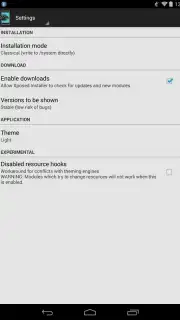
The process requires attention to detail. The app provides clear on-screen instructions that must be followed precisely. Since the tool interacts with the core system, bypassing steps or installing incompatible modules can lead to instability, requiring a device reset. This isn't for casual tinkering; it's for the user who reads, researches, and proceeds with informed caution. The reward for this diligence is a level of control typically unavailable, letting you tailor everything from notification panels to battery-saving behaviors without ever needing to flash a new ROM onto your device.
Explore a Vast Library of Modifications
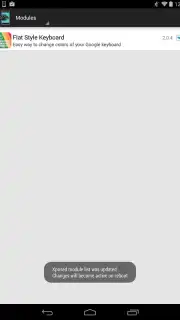
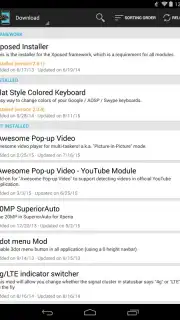
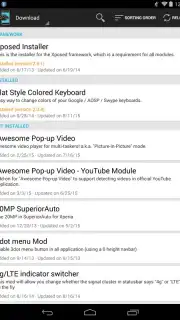
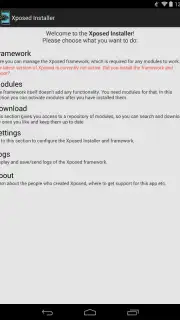
After successfully installing the Xposed framework and rebooting your device, you gain access to the heart of the experience: the module repository. The app’s interface becomes a portal to hundreds of individual modules, each with a specific name and description outlining its function. This library is constantly evolving, built by a community of developers.
- Visual and Interface Tweaks: Apply purely aesthetic changes to personalize your device. Modules can alter system colors, change fonts, modify the look of your navigation bar, or customize your keyboard's appearance beyond what your theme engine allows.
- Privacy and Permission Control: Take charge of your data. Specific modules allow you to granularly manage permissions for other installed applications, disabling certain capabilities you don't trust or want, providing a layer of security and privacy deeper than standard Android settings.
- Performance and Battery Enhancements: Install modules designed to optimize system processes, block wakelocks that drain battery, or overclock/underclock your CPU for a balance between performance and efficiency tailored to your usage.
- Feature Unlocks and Additions: Activate hidden features within your stock ROM or add completely new functionalities, such as advanced screenshot tools, enhanced audio controls, or new options in your quick settings panel.
- Ad-Free and Turbo Experience: The Xposed Installer application itself operates without any advertising clutter. Furthermore, the framework's efficient design means modules run with minimal overhead, allowing for a "turbo" experience where enhancements are applied swiftly without bogging down system resources.
Consider downloading Xposed Installer now to step into a world of advanced Android customization. This is the definitive tool for users who want to move beyond launchers and icon packs to truly command their device's operating system.
Download mobile app now
Disclaimer: This app requires an internet connection to download modules. Use of the Xposed framework requires a rooted Android device and carries inherent risks, including potential device instability, boot loops, or data loss if not used correctly. It is intended for advanced users. Always follow official instructions carefully, create full backups before proceeding, and ensure any modules you install are from trusted sources. The developer is not responsible for any damage to your device. Some modules may require in-app purchases or donations to their respective developers. Not all devices or Android versions are supported.
Information
| Version | 3.1.5 |
| Developer | rovo89 |
| Requirements | Android Android + 4.0.3, 4.0.4+ |
| Updated | 17.03.2026 |
| Size | 2.96 MB |
| Package | de.robv.android.xposed.installer |
| Signature | 0ac7584976a96da619e4d49ad9760ceb |


