


Yandex Browser (alpha) screenshots (21)







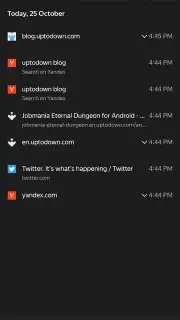

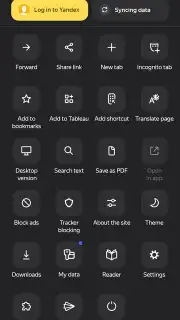




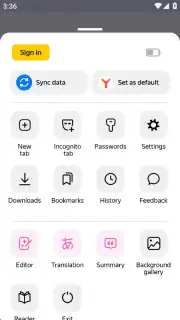

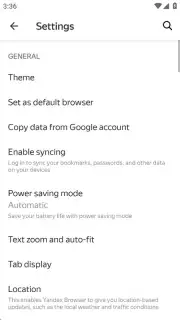



Description Yandex Browser (alpha)
Streamline Your Mobile Web Experience with a Cutting-Edge Browser
Managing daily browsing on an Android device often involves navigating slow page loads, intrusive advertisements, and concerns over data security on public networks. This alpha-stage browser provides a technical solution focused on performance enhancement, content filtering, and privacy control directly within the mobile interface.
Functional Overview and Core Capabilities
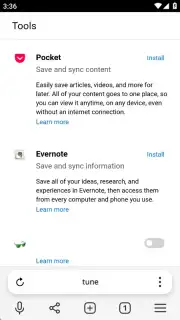
The application operates as a Chromium-based web browser engineered for the Android platform. Its architecture supports the installation of third-party extensions from established repositories like the Chrome Web Store and Opera Addons, allowing users to integrate specific tools for productivity, development, or content management. A dedicated reading mode strips auxiliary page elements—including sidebars, promotional units, and pop-ups—to present article text and essential imagery in a formatted view. The interface itself is customizable through an integrated wallpaper library, enabling visual adjustments to the browser's new tab page and background.
The integrated Turbo function is designed to optimize data usage and accelerate page rendering on slower connections, operating without displaying promotional content within its process. For security, the Protect system actively scans visited pages for potential phishing attempts or malicious code and provides encryption for data transmission over unsecured Wi-Fi hotspots. Private browsing is handled through an incognito mode that suspends the local storage of history, search queries, and form data for the session's duration. Built-in ad-blocking tools can be configured to filter out banner ads, video commercials, and tracking scripts across most websites.
Detailed Feature Specifications
- Install functional add-ons from Chromium extension stores like Chrome Web Store.
- Activate a distraction-free reading mode by removing menus and ads.
- Apply custom background wallpapers to the browser's start page.
- Enable the Turbo system for faster loading and reduced data consumption.
- Utilize the Protect security suite for safe public Wi-Fi browsing.
- Browse privately with incognito mode, which does not save history.
- Block intrusive advertisements and pop-ups across visited websites.
- Receive warnings when navigating to suspected phishing web pages.
We suggest trying Yandex Browser (alpha) to directly manage page loading speed, advertisement presence, and connection security on your Android device.
Download the mobile app now.
This application requires an internet connection. Some features or services may involve in-app purchases.
Information
| Version | 26.8.3.3 |
| Developer | Direct Cursus Computer Systems Trading LLC |
| Requirements | Android Android 10+ |
| Updated | 16.09.2026 |
| Size | 283.71 MB |
| Package | com.yandex.browser.alpha |
| Signature | 5d224274d9377c35da777ad934c65c8cca6e7a20 |
| Architecture | arm64-v8a |


