

AndroRar Zip and Rar screenshots (5)
Description AndroRar Zip and Rar
Looking for a straightforward way to manage compressed files directly on your Android device? AndroRar Zip and Rar provides a comprehensive mobile solution for handling a wide variety of archive formats without needing a desktop computer. It functions as both a powerful compression tool and a versatile file manager, streamlining your workflow for sharing and organizing content.
Core Functionality and Supported Formats
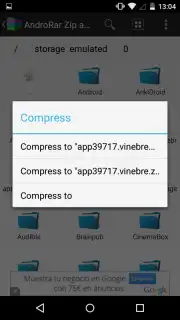
This application enables you to compress files into archives or extract content from existing ones entirely on your device. It supports creating and unpacking files in the RAR and ZIP formats, along with TAR, 7Z, GZIP, BZIP2, and XZ archives. This broad compatibility allows you to choose the optimal format for your specific task, whether you are bundling documents for email or decompressing software packages downloaded online. You can initiate these processes from any folder within your device's storage, selecting individual files or multiple items to combine into a single archive.
Security and Integrated File Management
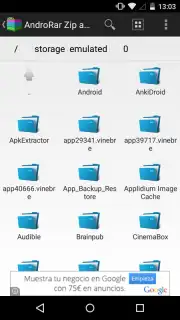
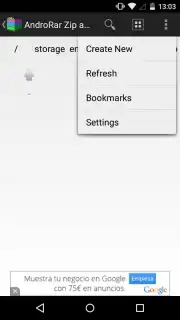
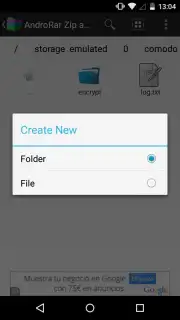
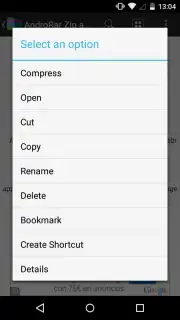
Beyond basic compression, AndroRar Zip and Rar includes security features to protect sensitive data. You can apply passwords and implement various encryption standards directly to your archives during the creation process. The application's functionality extends into file management, allowing you to browse directories, view file details, and organize your storage space. The interface is designed for direct interaction with your device's file system, letting you navigate to the exact location where you wish to save a new archive or extract existing files.
- Compress and extract files in RAR, ZIP, 7Z, TAR, GZIP, BZIP2, and XZ formats directly on your device.
- Apply password protection and multiple encryption methods to secure your archived content.
- Select and bundle multiple files from any folder into a single, compressed archive package.
- Navigate your device's storage as an integrated file manager to locate and organize items.
- Process archives without advertisements when utilizing the application's Turbo performance mode.
We suggest trying AndroRar Zip and Rar to handle all your compression needs efficiently on Android. Consider downloading the app now for direct control over your archives.
Heads up: you'll need wifi for downloading the app and accessing online help resources. Some advanced encryption features may require additional configuration.
Information
| Version | 7.08 |
| Developer | Hina Hashmi |
| Requirements | Android Android + 2.0+ |
| Updated | 17.03.2026 |
| Size | 3.95 MB |
| Package | com.file.android.rar.andro.file.manager.rar.zip.one |
| Signature | 547b20b4ab0029a7d410ec1c2bfdcddf |
| Architecture | armeabi, armeabi-v7a |


