

AndroZip File Manager screenshots (6)
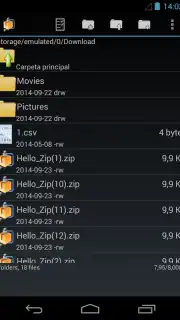
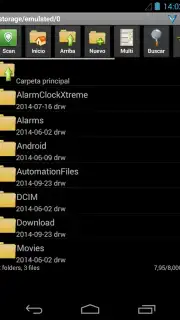
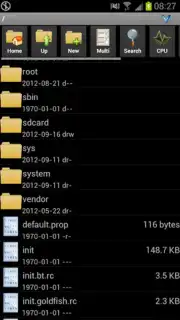
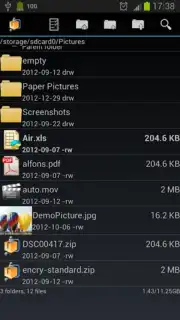

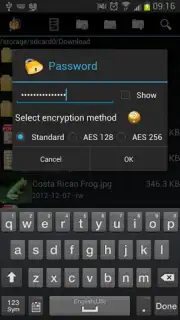
Description AndroZip File Manager
Need to Unpack a File or Tame a Messy Phone?
Ever found yourself stuck with a compressed file on your phone, unsure how to open it? Or maybe your device's storage has become a disorganized jungle of documents, photos, and downloads. Navigating files on a touchscreen shouldn't feel like a chore. What if a single tool could handle both the specialized task of opening archives and the everyday need for simple, intuitive file management?
AndroZip File Manager steps in as that comprehensive solution. This application transforms your Android device into a capable workstation for handling a vast array of file formats. You encounter a ZIP, RAR, TAR, GZIP, or BZIP2 archive; with a few taps, the contents are extracted and ready for use. The process is streamlined and quick, removing the frustration of inaccessible data.
Beyond extraction, the app serves as a full-featured file organizer. The interface is designed specifically for touch interaction, making actions like moving, copying, and deleting files feel natural. You can manage your compressed archives and regular folders directly within the app, creating a unified space for all your storage tasks. This dual functionality means you won't need to switch between different apps to first unpack a file and then move it to its proper location.
The experience is designed to be straightforward. You browse your device's storage, select files or folders, and choose your action from a clear menu. Organizing projects, sorting downloads, or cleaning up space becomes a more visual and direct process. It brings a level of desktop-style file management control directly to your mobile device, all within a clean and adaptive layout.
- Supports ZIP, RAR, and TAR
- Full file manager functionality
- Touch-optimized browsing interface
- Fast compression and extraction
Consider downloading AndroZip File Manager to consolidate your file tasks into one efficient, powerful application.
Download the mobile app now.
Heads up: you'll need wifi for most features. Some cool stuff is extra.
Information
| Version | 4.7.4 |
| Developer | Agilesoft Resource |
| Updated | 17.03.2026 |
| Size | 4.09 MB |
| Package | com.agilesoftresource |
| Signature | 228d75c8cc95354ab3a5228933785404 |


