


Chrome Dev screenshots (5)


Description Chrome Dev
Early Access to Chrome's Next Evolution
For developers, tech enthusiasts, and power users, staying ahead of the curve with browser technology is a constant pursuit. The stable release cycle often means waiting months for new features and under-the-hood improvements to become available. Chrome Dev for Android addresses this gap directly, serving as a standalone, parallel installation of the Chrome browser that provides exclusive access to pre-release builds. This application is a direct channel from Google's development pipeline, allowing you to test and utilize the latest browser innovations, performance tweaks, and experimental flags well before they reach the mainstream public version. It is important to understand that this is a development build; while it showcases the future of Chrome, it may exhibit instability or have incomplete features not yet ready for daily production use.
Core Functionality and Feature Analysis
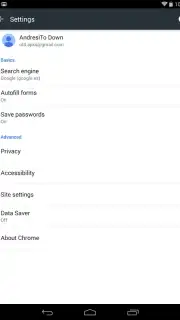
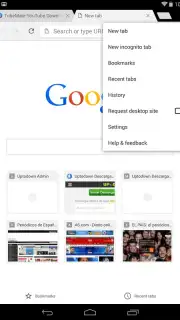
Chrome Dev operates as a fully independent application from the standard Chrome browser. Both can be installed and run concurrently on the same device without conflict, enabling direct A/B testing between the current stable experience and the upcoming one. The interface maintains the familiar, minimalist design language of Chrome, prioritizing clean lines and intuitive navigation. A significant functional advantage is its deep synchronization capability with the desktop Chrome browser via your Google account. This allows for seamless cross-device workflow, where tabs opened on your computer are instantly accessible on your mobile device, and bookmarks and browsing history are unified across both platforms.
The application incorporates the same foundational technologies as the main browser, including the data-saving Turbo mode, which compresses web pages to reduce cellular data usage and improve loading times on slower connections. As a development-focused build, it is distributed without any advertisement modules, providing an undistracted browsing environment. Users should note that the feature set is inherently fluid; functionalities present in one build may be modified, removed, or temporarily non-functional in the next, as the core purpose is to test new code. This makes it an invaluable tool for providing early feedback to Google's development team and for those who require access to the latest web platform APIs and developer tools on mobile.
Key Application Characteristics
- Standalone parallel browser installation
- Early access to pre-release features
- Full desktop Chrome synchronization
- No advertisement modules included
Download Chrome Dev for Android now and be the first to experience the next generation of mobile browsing technology!
Disclaimer: This application requires an active internet connection. It is a development preview and may contain unstable features, bugs, or security considerations not present in the stable channel. Use with caution for sensitive browsing. Data usage applies. This product is intended for developers and technically advanced users.
Information
| Version | 148.0.7728.3 |
| Developer | Google LLC |
| Requirements | Android Android + 10+ |
| Updated | 17.03.2026 |
| Size | 13.97 MB |
| Package | com.chrome.dev |
| Signature | d046fc5d1fc3cd0e57c5444097cd5449,f31d373ba89829a7ff7d2c769e60d2c1 |
| Architecture | armeabi-v7a, arm64-v8a |


