

Circle Remote screenshots (3)
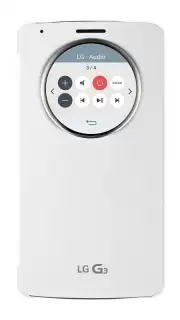
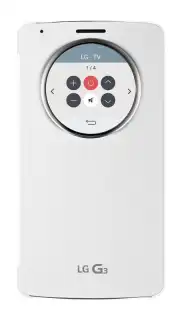
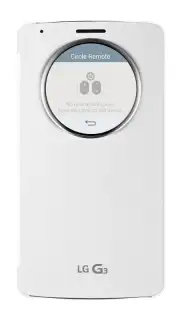
Description Circle Remote
Tired of Juggling Remotes? Your Phone Just Became the Ultimate Universal Controller.
Imagine this: you settle in for a movie night, but first, you have to hunt for the TV remote, then find the one for the soundbar, and maybe even dig out the old remote for that streaming stick. It’s a frustrating ritual that breaks the mood before it even begins. What if you could replace that cluttered drawer of plastic with one sleek, powerful device you always have with you? Welcome to Circle Remote, where your smartphone transforms into a universal command center for your entire entertainment world. No more confusion, no more lost remotes—just pure, seamless control at your fingertips.
One App to Rule Them All: Discover Effortless Control
Circle Remote isn't just another remote app; it’s a complete ecosystem of control designed for modern, connected living. It intelligently connects to a vast array of devices in your home, learning their functions and presenting you with a beautifully simple, unified interface. You’ll navigate through your favorite shows, adjust the volume on your sound system, and switch inputs—all from one intuitive screen. The magic is in its simplicity: a clean, circular design that puts every command you need just a tap or a swipe away, making complex setups feel wonderfully straightforward.
Why Your Phone Deserves This Upgrade
- Universal Compatibility: Connects seamlessly with thousands of Smart TVs, streaming devices (like Roku, Fire TV, and Android TV boxes), sound systems, and even air conditioners and projectors. It’s the only remote you’ll need.
- Elegant, Intuitive Interface: The signature circular menu is not just beautiful—it’s brilliantly efficient. Swipe through categories and tap to execute commands faster than you can find a physical button.
- Quick-Setup Wizard: Get started in under a minute. The app guides you through a simple pairing process, automatically detecting and configuring devices on your network.
- Customizable Control Panels: Create personalized remote layouts for different scenarios. Have a perfect “Movie Night” panel with TV, soundbar, and lighting controls, and a separate “Music” panel for your speakers.
- No-Hassle Connection: Works over both Wi-Fi and Infrared (using your phone’s built-in IR blaster, if available), ensuring compatibility with both new smart devices and older electronics.
- Always Evolving: Regular updates constantly add support for new devices and features, so your remote app gets smarter over time.
Stop dealing with the clutter and frustration of multiple remotes. This is your chance to upgrade your daily routine with a tool that brings genuine calm and convenience. For a limited time, new users get exclusive access to premium widget features for free! Download Circle Remote now and turn your phone into the only remote you’ll ever need.
Heads up: you'll need wifi for most smart device features. Some advanced customization options and premium device profiles are extra. Requires Android 4.4 or above.
Information
| Version | 1.1.0b |
| Developer | HardWare |
| Requirements | Android Android + 4.4+ |
| Updated | 17.03.2026 |
| Size | 1.25 MB |
| Package | com.hard13.qcircle |
| Signature | 7ec1907f34843811ad071b366417ccd1 |


