

ColorOS Recorder screenshots (12)
Description ColorOS Recorder
Struggling to capture clear audio on your Android device?
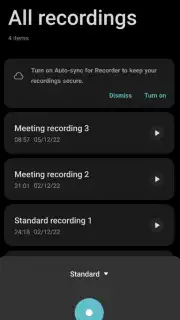
Standard recording apps often fail in challenging environments, picking up excessive background noise or muffling voices at a distance. ColorOS Recorder, the official audio utility from Oppo, is engineered to address these specific issues. It provides a suite of professional-grade recording modes that adapt to your scenario, alongside robust organization and playback tools, transforming your smartphone into a reliable digital audio recorder.
Core Functionality and Recording Modes
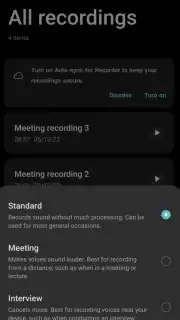
The application utilizes your device's built-in microphone hardware, processing the audio through one of three distinct, scenario-specific algorithms. This approach ensures the captured audio is optimized for its intended purpose directly during recording, minimizing the need for extensive post-processing.
- Standard Mode: This mode captures audio in an unprocessed, high-fidelity format. It is the optimal setting for recording musical instruments, ambient sounds, or any situation where preserving the full, original frequency range is critical for later editing or analysis.
- Meeting Mode: This algorithm actively enhances the frequency ranges typical of human speech. It is designed to improve vocal clarity and intelligibility, making it particularly effective for capturing lectures, conference calls, or any speaker who is not in close proximity to the device.
- Interview Mode: This setting employs advanced filtering to suppress constant background noises, such as air conditioning, traffic rumble, or crowd murmur. It focuses the recording profile on the primary speakers, ensuring dialogue remains clear and isolated from distracting environmental sounds.
Audio Management and Playback Controls
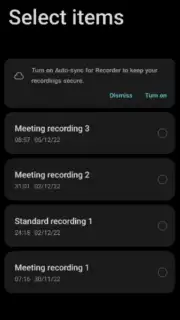
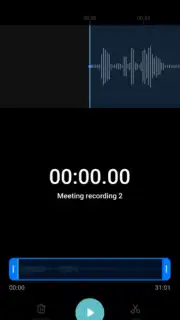
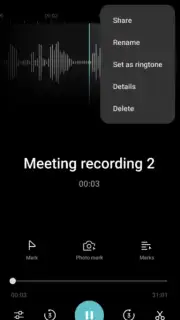
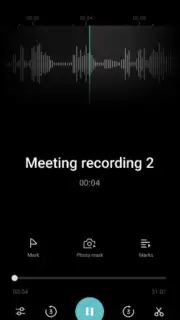
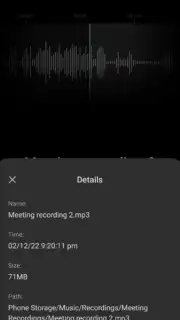
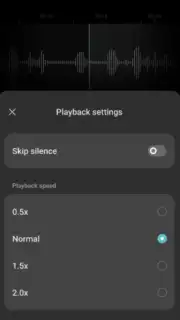
Beyond capture, the app includes a comprehensive set of tools for managing and reviewing your recordings. You can rename files, create custom sorting orders, and archive or delete recordings directly within the library. The playback engine features variable speed control, allowing you to listen at rates from half-speed to double-speed. A dedicated silence trimming function can automatically detect and skip silent passages during playback, condensing the audio to focus solely on active content.
- Utilizes three specialized audio processing modes: Standard, Meeting, and Interview.
- Enhances vocal clarity and intelligibility for distant speakers in Meeting Mode.
- Reduces constant ambient background noise effectively in Interview Mode.
- Provides variable playback speed control from 0.5x to 2.0x normal rate.
- Features automatic silence skipping to streamline audio review sessions.
We suggest trying ColorOS Recorder to handle everything from quick voice memos to important professional lectures with consistent clarity. Consider downloading the app to directly access these optimized recording tools.
Heads up: you'll need wifi for most features. Some cool stuff is extra.
Information
| Version | 16.13.2 |
| Developer | Oppo |
| Requirements | Android Android + 10+ |
| Updated | 17.03.2026 |
| Size | 41.13 MB |
| Package | com.coloros.soundrecorder |
| Signature | d5f2d71470028a27f040234dbe7b62b0 |
| Architecture | arm64-v8a |


