

Control Center Simple - iOS Control Center screenshots (5)
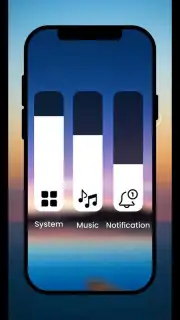
Description Control Center Simple - iOS Control Center
Transform Your Android's Control Panel Instantly
Tired of a basic, cluttered quick settings panel that feels outdated and lacks style? Control Center Simple brings the sleek, intuitive design and powerful functionality of iOS Control Center directly to your Android device. It replaces your standard toggles with a beautiful, gesture-controlled hub that puts essential tools and shortcuts right at your fingertips. Elevate your device's efficiency and aesthetic with a single, seamless overlay that doesn't require root access.
A Customizable Command Center at Your Fingertips
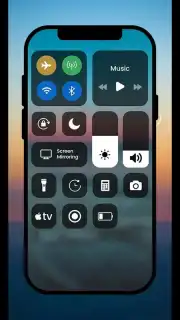
This app reimagines your device's control panel by installing a fully customizable, iOS-style control center that activates with a simple swipe from any screen. It provides immediate access to a comprehensive suite of system tools and quick actions in a clean, visually cohesive layout. You can tailor every aspect, from the toggles on the main panel to the background blur and color themes, creating a control hub that matches your personal workflow and style.
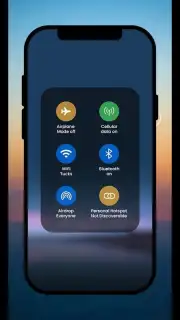
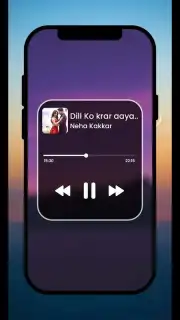
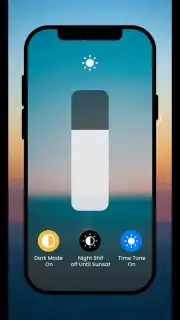
The core functionality revolves around a responsive, gesture-driven interface. Swipe up from the bottom edge of your screen (or from a configured screen corner) to summon a translucent panel filled with large, tappable modules. This panel houses essential system switches like Wi-Fi, Bluetooth, Flashlight, and Rotation Lock, alongside more advanced tools like a media player widget, screen brightness slider, and a customizable tile for your most-used app or setting. A long-press on many tiles, such as Bluetooth or Wi-Fi, opens a deeper settings menu for faster connections.
Key Advantages & User Experience
Control Center Simple excels by prioritizing a smooth, integrated user experience that feels native to your device. The animations are fluid, mimicking the iOS feel without sacrificing Android's responsiveness. Performance is optimized to ensure the overlay activates instantly and without lag, even on devices with modest specifications. The visual design is a major strength, offering multiple theme options, including light, dark, and true black, along with adjustable blur and opacity for the background to ensure perfect readability.
Beyond looks, the app offers profound utility through deep customization. You are not stuck with a preset layout; you can add, remove, and rearrange all control tiles to place your most critical actions front and center. The inclusion of a dedicated media control widget that displays album art and works across various music apps adds significant convenience. Its non-intrusive design means it works as an overlay, so you never leave your current app, making multitasking faster and more efficient than ever.
- Swipe-activated iOS-style panel
- Fully customizable toggle layout
- Integrated media player controls
- Multiple visual themes & blur effects
- Long-press for expanded settings
- Works without root access
We suggest trying Control Center Simple to finally bridge the gap between Android's power and iOS's polished interface design. Consider downloading it today to give your device a stunning, functional upgrade that simplifies daily use.
Heads up: you'll need wifi for the initial download and theme fetches. Some premium visual themes and advanced customization packs are extra. Compatible with Android 7.0 and up.
Information
| Version | v23.0.0 |
| Developer | FunApps |
| Requirements | Android Android + 7.0+ |
| Updated | 17.03.2026 |
| Size | 19.48 MB |
| Package | com.funapps.ios_control_center |
| Signature | 01c9a4242933a0cf8b3039af9d2840ba |
| Architecture | armeabi-v7a, arm64-v8a |


