


Explorer screenshots (8)
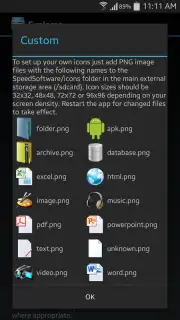
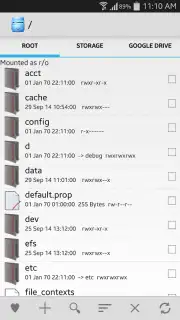
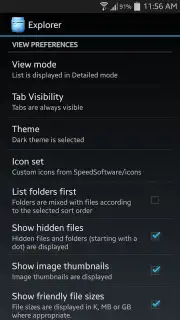
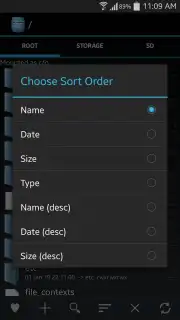
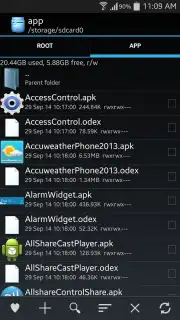
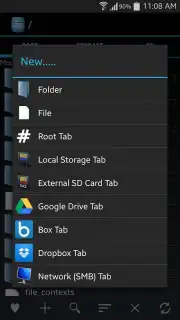
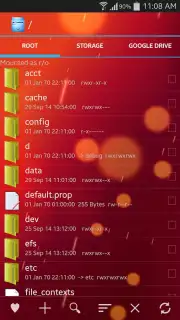
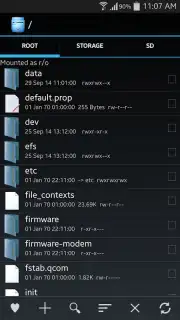
Description Explorer
Tired of Your Phone's Files Feeling Like a Messy, Uncontrollable Jungle?
You know that feeling. You need one specific photo, but it's buried somewhere in a maze of folders. You want to move a document to your cloud storage, but it takes five confusing steps. Your phone's storage feels like a black box, and you're just guessing where things are. It's frustrating, and it wastes your precious time. What if you could have the same powerful, precise control over your Android's files that you have on your desktop computer? That's exactly what you get with Explorer by Speed Software.
This isn't just another basic file manager. Explorer is built to give you absolute command and clarity. Imagine having a powerful file explorer right in your pocket, one that treats both your device's internal storage and your SD card as a single, seamlessly organized domain. No more digging through confusing default folders. You are in the driver's seat, with the ability to cut, copy, paste, rename, zip, and manage every single file with intuitive gestures. But the real magic happens when you start using its advanced features to supercharge your daily workflow.
Your All-in-One File Command Center
Explorer transforms your Android device into a productivity powerhouse by combining local control with cloud mastery. The tabbed interface is a game-changer, letting you keep multiple folders open side-by-side just like on a computer browser. Copy files from your Downloads to your SD card while browsing your photos, all without losing your place. And for true peace of mind, Explorer integrates directly with the cloud services you already use. You can sync crucial folders or backup important files automatically to your Box, Google Drive, or Dropbox accounts, creating a perfect, automated bridge between your local files and the cloud.
The experience is streamlined and focused, designed to get things done without distraction.
- Total File System Mastery: Take complete control over every file and folder on your Android. Manage internal storage and SD card contents with equal ease, performing batch operations, detailed searches, and root-level navigation.
- Multi-Tab Browsing for Ultimate Efficiency: Work smarter, not harder. Open multiple folder locations in separate tabs to move and organize files between them effortlessly, dramatically speeding up your file management tasks.
- Seamless Cloud Synchronization: Keep your most important data safe and accessible everywhere. Directly sync and manage files with your Box, Google Drive, and Dropbox accounts from within the app, eliminating the need to switch between multiple applications.
- Turbo-Powered, Ad-Free Experience: Unlock the full, unhindered potential of Explorer. The Turbo enhancement removes all advertisements and delivers superior performance, faster operations, and a completely clean interface dedicated solely to your productivity.
Stop wrestling with your files and start organizing your digital life with confidence and speed. This is the tool that finally makes your Android feel truly powerful and organized.
Download Explorer File Manager now and take back control today!
Internet required. IAP available.
Information
| Version | 3.12.9 |
| Developer | Speed Software |
| Requirements | Android Android + 5.0+ |
| Updated | 17.03.2026 |
| Size | 6.7 MB |
| Package | com.speedsoftware.explorer |
| Signature | d6156aed452cbdacb479975b9eab784d |
| Architecture | universal |


